> ## Documentation Index
> Fetch the complete documentation index at: https://cometchat-22654f5b-docs-rn-guide-message-privately.mintlify.site/llms.txt
> Use this file to discover all available pages before exploring further.
# Message Bubble Styling
> Message Bubble Styling — CometChat documentation.
## Introduction
We offer customizable message bubble styling to enhance user experience and match your app’s design. With distinct classes for incoming and outgoing messages, you can easily define colors, borders, and other styles. Each message type, from text to multimedia, has predefined classes for default styling, and developers can further customize using CSS.
## Incoming & Outgoing Messages
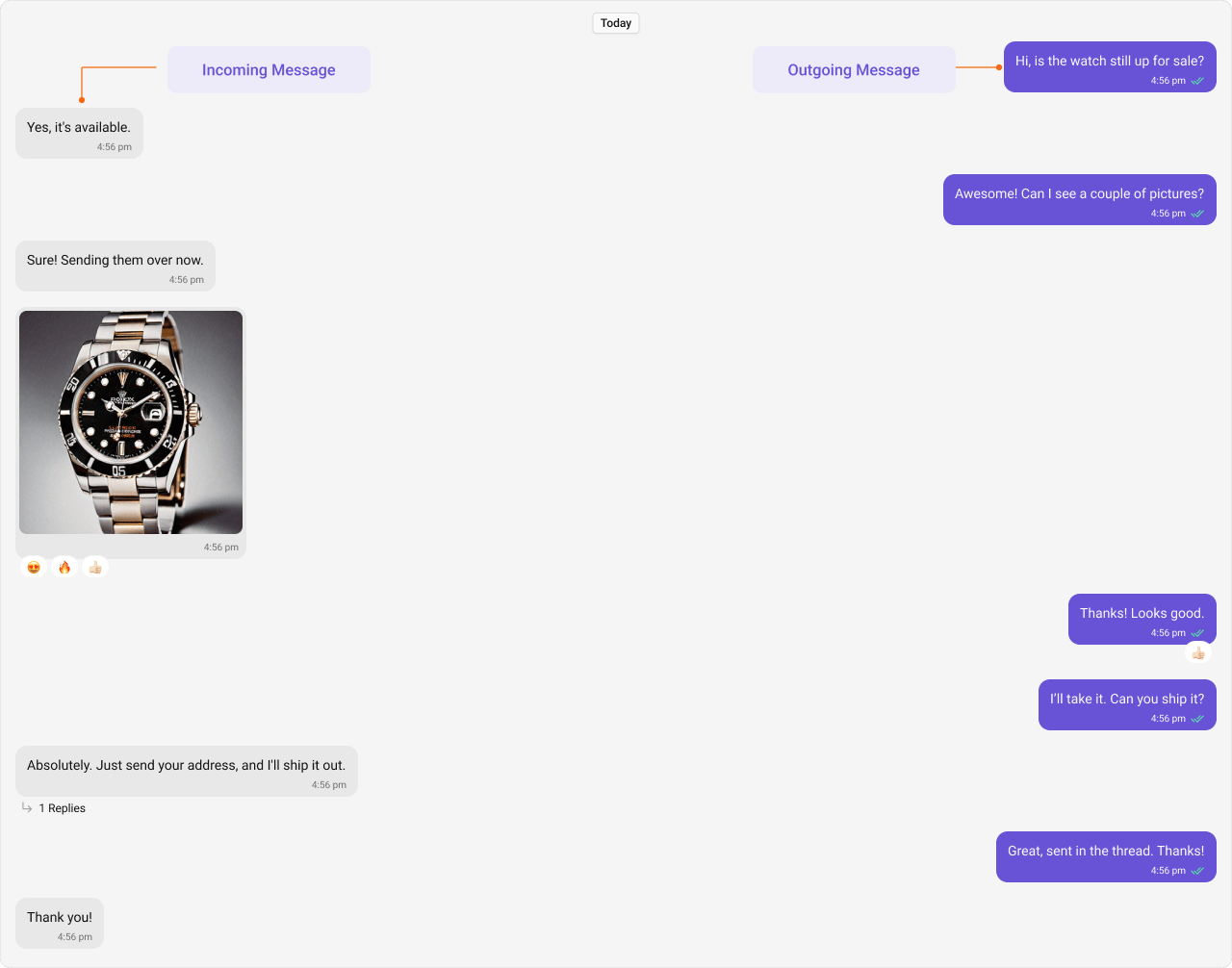
Incoming and outgoing messages have different styling by default, allowing users to visually separate their own messages from others’. Here, we show both the default view and examples of customizations for these message bubbles.
Shown below is the default chat interface.
 ***
### Styling
#### Outgoing Message Bubbles
The customized chat interface is displayed below.
***
### Styling
#### Outgoing Message Bubbles
The customized chat interface is displayed below.
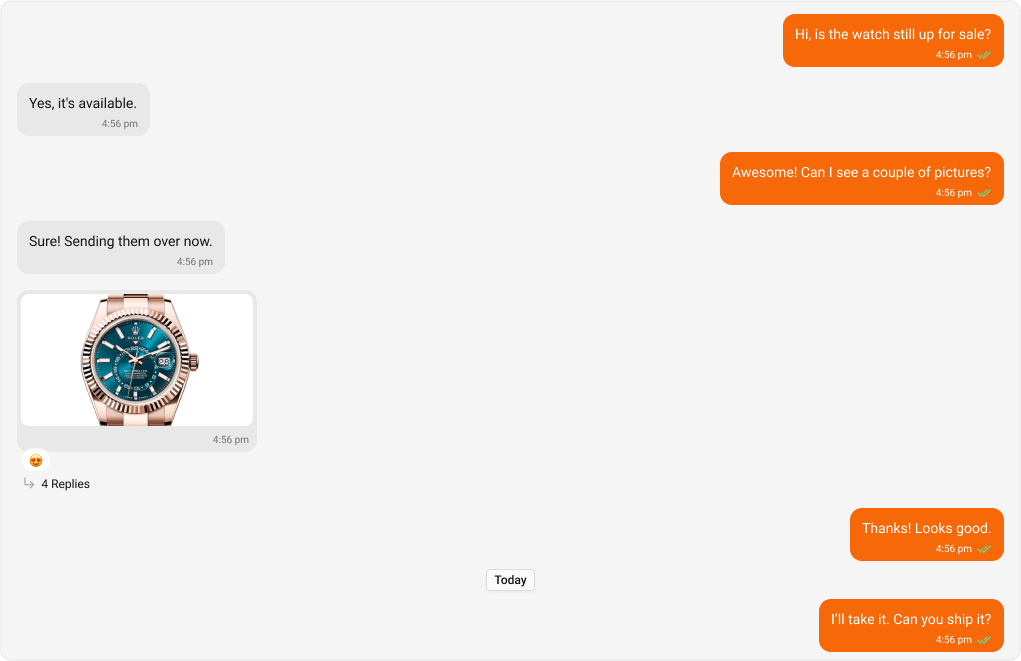 Use the following code to achieve the customization shown above.
```python App.css theme={null}
.cometchat .cometchat-message-bubble-outgoing .cometchat-message-bubble__body {
--cometchat-primary-color: #f76808;
--cometchat-extended-primary-color-900: #fbaa75;
}
```
***
#### Incoming Message Bubbles
The customized chat interface is displayed below.
Use the following code to achieve the customization shown above.
```python App.css theme={null}
.cometchat .cometchat-message-bubble-outgoing .cometchat-message-bubble__body {
--cometchat-primary-color: #f76808;
--cometchat-extended-primary-color-900: #fbaa75;
}
```
***
#### Incoming Message Bubbles
The customized chat interface is displayed below.
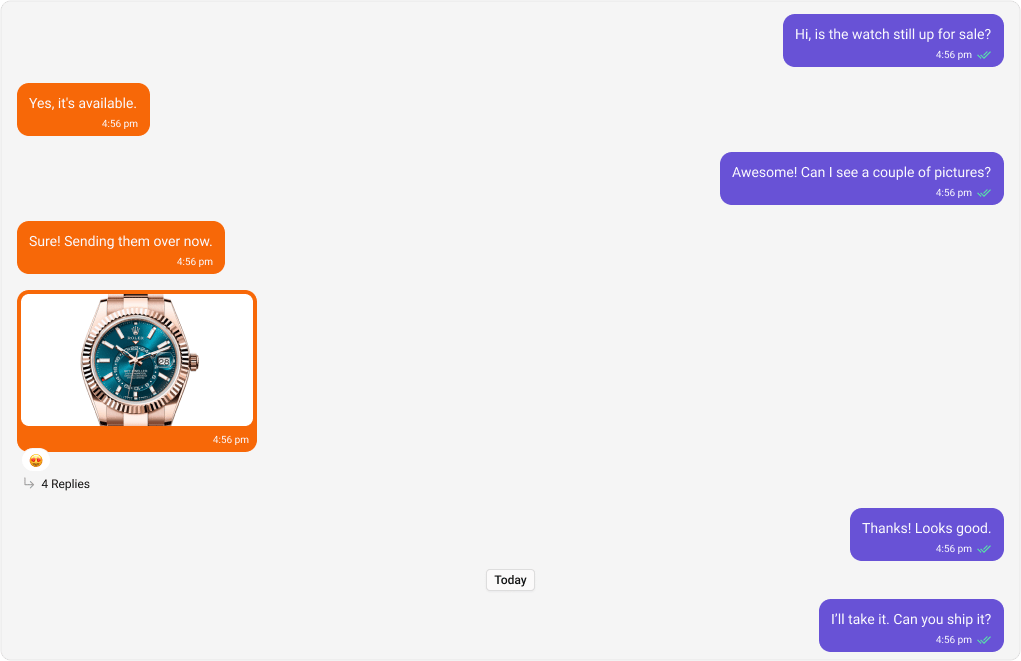 Use the following code to achieve the customization shown above.
```python App.css theme={null}
.cometchat .cometchat-message-bubble-incoming .cometchat-message-bubble__body {
--cometchat-neutral-color-300: #f76808;
}
```
***
#### All Message Bubbles
The customized chat interface is displayed below.
Use the following code to achieve the customization shown above.
```python App.css theme={null}
.cometchat .cometchat-message-bubble-incoming .cometchat-message-bubble__body {
--cometchat-neutral-color-300: #f76808;
}
```
***
#### All Message Bubbles
The customized chat interface is displayed below.
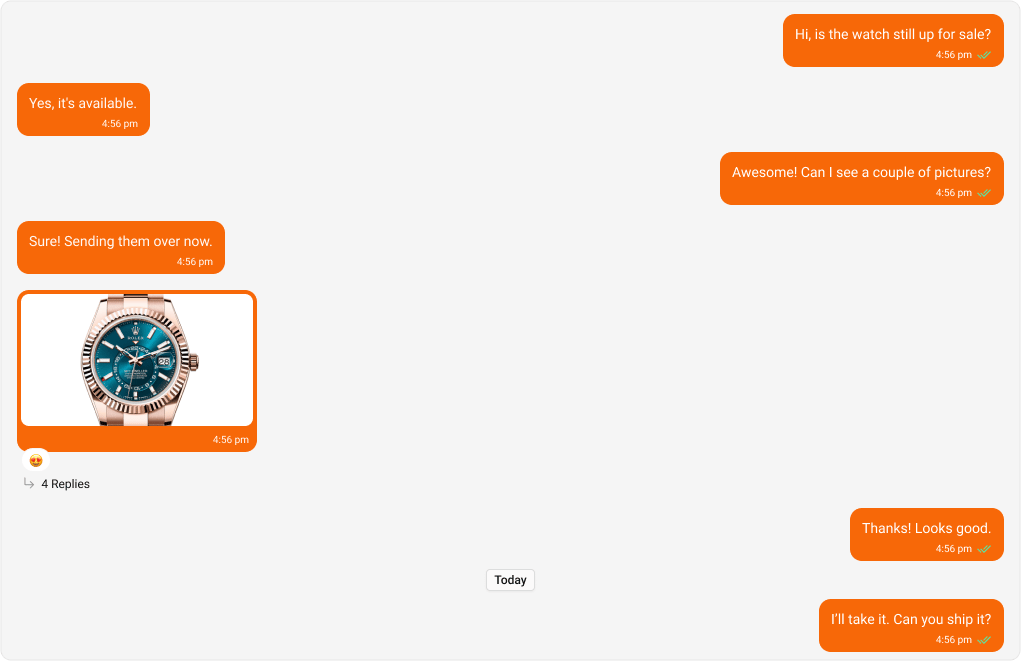 Use the following code to achieve the customization shown above.
```python App.css theme={null}
.cometchat .cometchat-message-bubble .cometchat-message-bubble__body {
--cometchat-neutral-color-300: #f76808;
--cometchat-primary-color: #f76808;
--cometchat-extended-primary-color-900: #fbaa75;
}
```
***
## Message Types
CometChat UI Kit includes classes for various message types. Below are examples of default & customised views for each message type, along with the relevant CSS code snippets so that you can quickly up to the mark with CSS customization.
***
### Text Message Bubble
Shown below is the default chat interface.
Use the following code to achieve the customization shown above.
```python App.css theme={null}
.cometchat .cometchat-message-bubble .cometchat-message-bubble__body {
--cometchat-neutral-color-300: #f76808;
--cometchat-primary-color: #f76808;
--cometchat-extended-primary-color-900: #fbaa75;
}
```
***
## Message Types
CometChat UI Kit includes classes for various message types. Below are examples of default & customised views for each message type, along with the relevant CSS code snippets so that you can quickly up to the mark with CSS customization.
***
### Text Message Bubble
Shown below is the default chat interface.
 The customized chat interface is displayed below.
 Use the following code to achieve the customization shown above.
```csharp App.css theme={null}
/* Outgoing Text Message Bubble */
.cometchat
.cometchat-message-bubble-outgoing
.cometchat-message-bubble__body.cometchat-message-bubble__text-message {
--cometchat-primary-color: #f76808;
}
/* Incoming Text Message Bubble */
.cometchat
.cometchat-message-bubble-incoming
.cometchat-message-bubble__body.cometchat-message-bubble__text-message {
--cometchat-neutral-color-300: #feede1;
}
```
***
### Image Message Bubble
Shown below is the default chat interface.
Use the following code to achieve the customization shown above.
```csharp App.css theme={null}
/* Outgoing Text Message Bubble */
.cometchat
.cometchat-message-bubble-outgoing
.cometchat-message-bubble__body.cometchat-message-bubble__text-message {
--cometchat-primary-color: #f76808;
}
/* Incoming Text Message Bubble */
.cometchat
.cometchat-message-bubble-incoming
.cometchat-message-bubble__body.cometchat-message-bubble__text-message {
--cometchat-neutral-color-300: #feede1;
}
```
***
### Image Message Bubble
Shown below is the default chat interface.
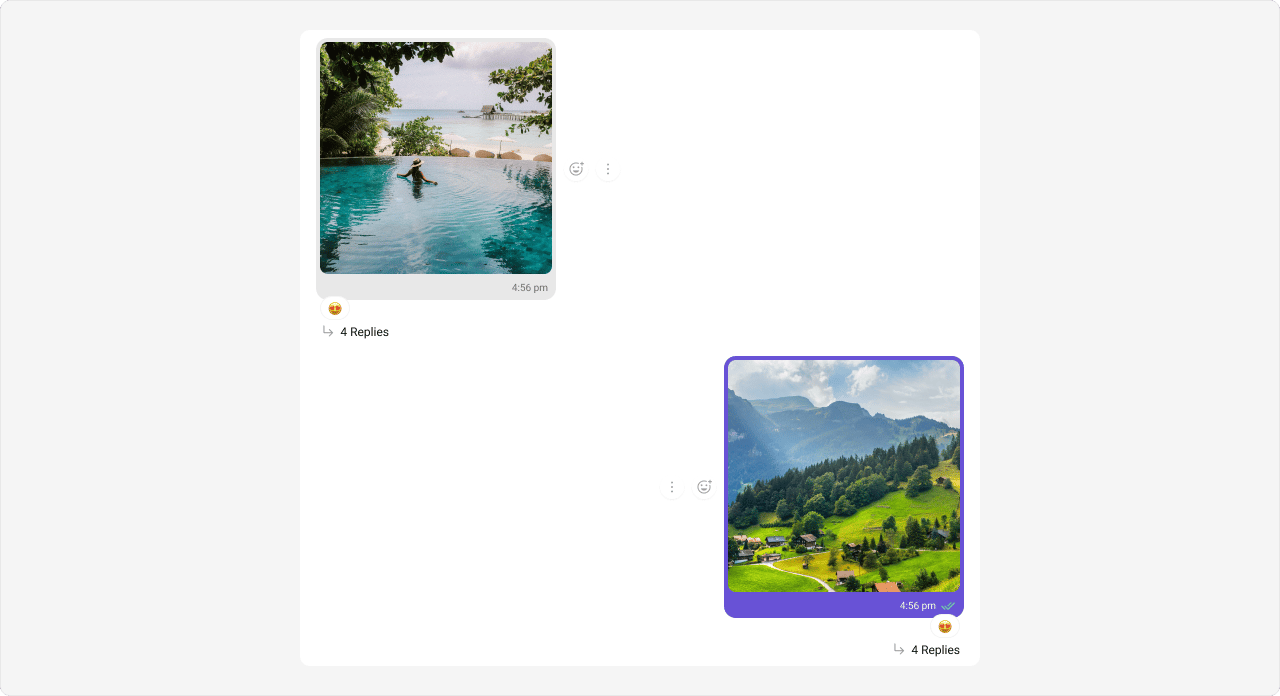 The customized chat interface is displayed below.
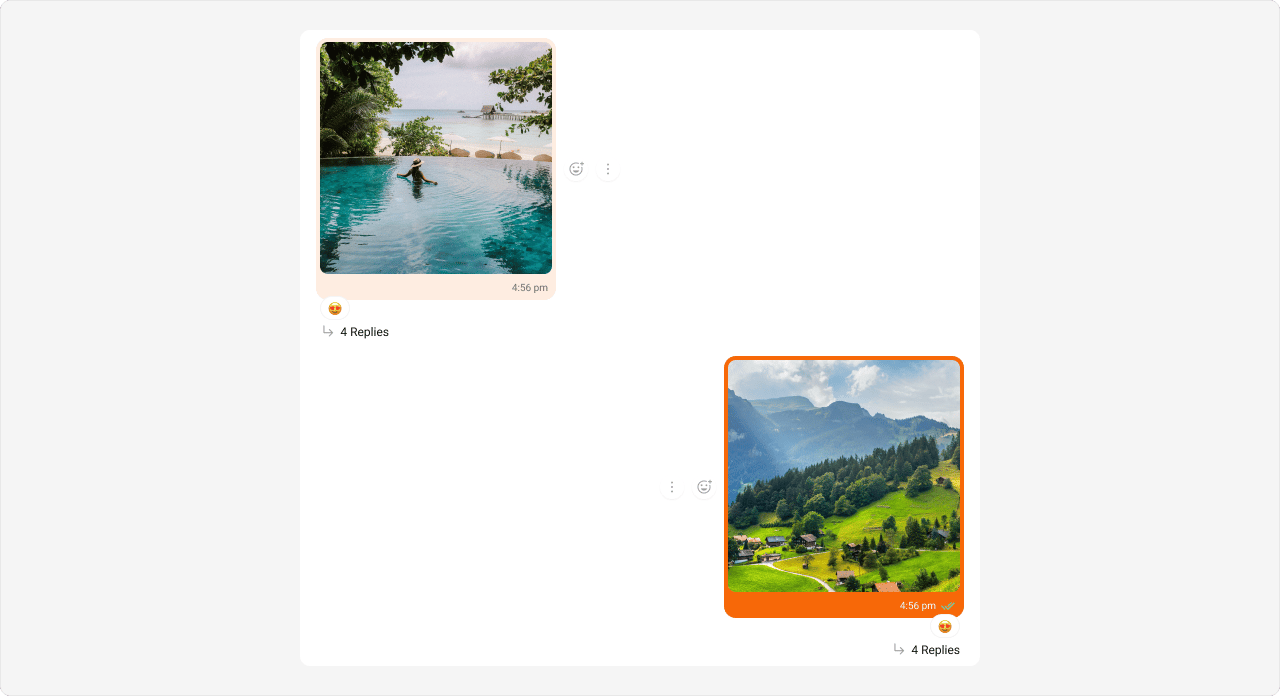 Use the following code to achieve the customization shown above.
```csharp App.css theme={null}
/* Outgoing Image Message Bubble */
.cometchat
.cometchat-message-bubble-outgoing
.cometchat-message-bubble__body.cometchat-message-bubble__image-message {
--cometchat-primary-color: #f76808;
}
/* Incoming Image Message Bubble */
.cometchat
.cometchat-message-bubble-incoming
.cometchat-message-bubble__body.cometchat-message-bubble__image-message {
--cometchat-neutral-color-300: #feede1;
}
```
***
### Video Message Bubble
Shown below is the default chat interface.
Use the following code to achieve the customization shown above.
```csharp App.css theme={null}
/* Outgoing Image Message Bubble */
.cometchat
.cometchat-message-bubble-outgoing
.cometchat-message-bubble__body.cometchat-message-bubble__image-message {
--cometchat-primary-color: #f76808;
}
/* Incoming Image Message Bubble */
.cometchat
.cometchat-message-bubble-incoming
.cometchat-message-bubble__body.cometchat-message-bubble__image-message {
--cometchat-neutral-color-300: #feede1;
}
```
***
### Video Message Bubble
Shown below is the default chat interface.
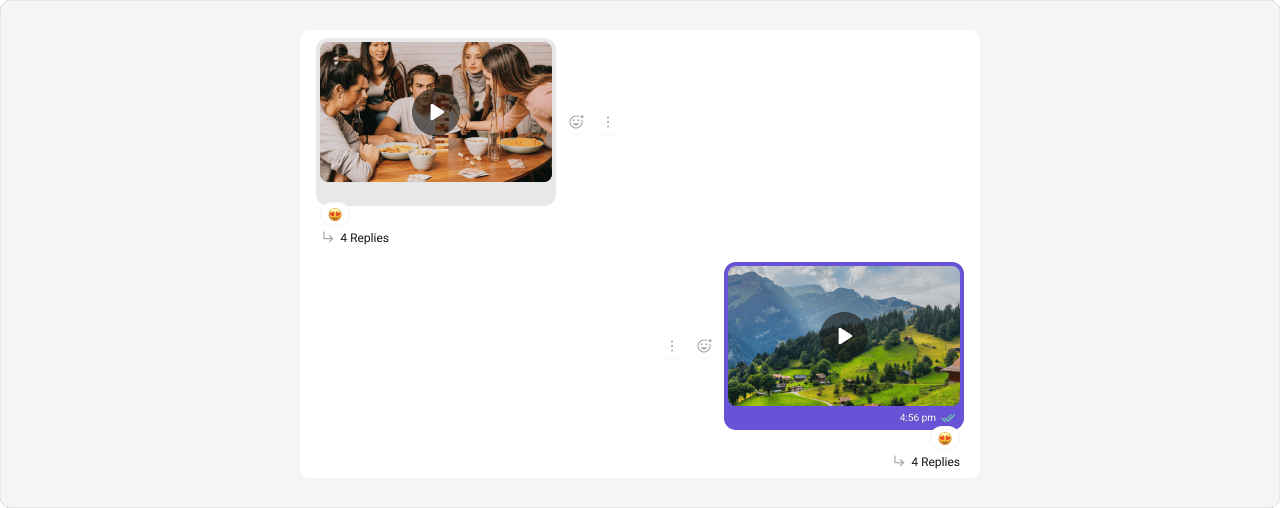 The customized chat interface is displayed below.
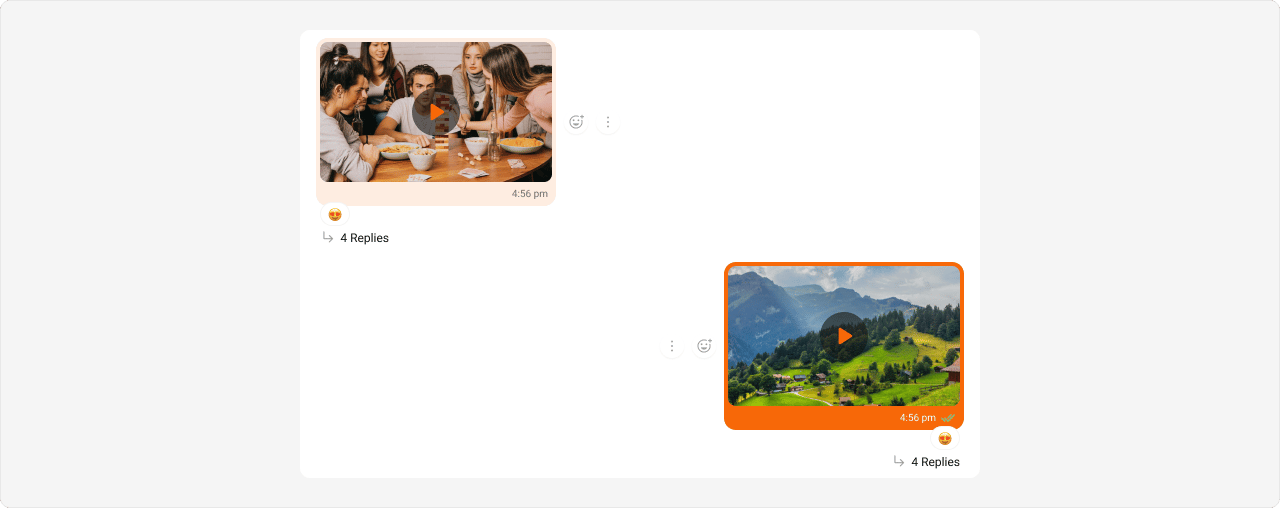 Use the following code to achieve the customization shown above.
```csharp App.css theme={null}
/* Outgoing Video Message Bubble */
.cometchat
.cometchat-message-bubble-outgoing
.cometchat-message-bubble__body.cometchat-message-bubble__video-message {
--cometchat-primary-color: #f76808;
}
/* Incoming Video Message Bubble */
.cometchat
.cometchat-message-bubble-incoming
.cometchat-message-bubble__body.cometchat-message-bubble__video-message {
--cometchat-neutral-color-300: #feede1;
}
```
***
### Audio Message Bubble
Shown below is the default chat interface.
Use the following code to achieve the customization shown above.
```csharp App.css theme={null}
/* Outgoing Video Message Bubble */
.cometchat
.cometchat-message-bubble-outgoing
.cometchat-message-bubble__body.cometchat-message-bubble__video-message {
--cometchat-primary-color: #f76808;
}
/* Incoming Video Message Bubble */
.cometchat
.cometchat-message-bubble-incoming
.cometchat-message-bubble__body.cometchat-message-bubble__video-message {
--cometchat-neutral-color-300: #feede1;
}
```
***
### Audio Message Bubble
Shown below is the default chat interface.
 The customized chat interface is displayed below.
 Use the following code to achieve the customization shown above.
```csharp App.css theme={null}
/* Outgoing Audio Message Bubble */
.cometchat
.cometchat-message-bubble-outgoing
.cometchat-message-bubble__body.cometchat-message-bubble__audio-message {
--cometchat-primary-color: #f76808;
}
/* Incoming Audio Message Bubble */
.cometchat
.cometchat-message-bubble-incoming
.cometchat-message-bubble__body.cometchat-message-bubble__audio-message {
--cometchat-primary-color: #f76808;
--cometchat-neutral-color-300: #feede1;
}
```
***
### File Message Bubble
Shown below is the default chat interface.
Use the following code to achieve the customization shown above.
```csharp App.css theme={null}
/* Outgoing Audio Message Bubble */
.cometchat
.cometchat-message-bubble-outgoing
.cometchat-message-bubble__body.cometchat-message-bubble__audio-message {
--cometchat-primary-color: #f76808;
}
/* Incoming Audio Message Bubble */
.cometchat
.cometchat-message-bubble-incoming
.cometchat-message-bubble__body.cometchat-message-bubble__audio-message {
--cometchat-primary-color: #f76808;
--cometchat-neutral-color-300: #feede1;
}
```
***
### File Message Bubble
Shown below is the default chat interface.
 The customized chat interface is displayed below.
 Use the following code to achieve the customization shown above.
```csharp App.css theme={null}
/* Outgoing File Message Bubble */
.cometchat
.cometchat-message-bubble-outgoing
.cometchat-message-bubble__body.cometchat-message-bubble__file-message {
--cometchat-primary-color: #f76808;
}
/* Incoming File Message Bubble */
.cometchat
.cometchat-message-bubble-incoming
.cometchat-message-bubble__body.cometchat-message-bubble__file-message {
--cometchat-primary-color: #f76808;
--cometchat-neutral-color-300: #feede1;
}
```
***
### Delete Message Bubble
Shown below is the default chat interface.
Use the following code to achieve the customization shown above.
```csharp App.css theme={null}
/* Outgoing File Message Bubble */
.cometchat
.cometchat-message-bubble-outgoing
.cometchat-message-bubble__body.cometchat-message-bubble__file-message {
--cometchat-primary-color: #f76808;
}
/* Incoming File Message Bubble */
.cometchat
.cometchat-message-bubble-incoming
.cometchat-message-bubble__body.cometchat-message-bubble__file-message {
--cometchat-primary-color: #f76808;
--cometchat-neutral-color-300: #feede1;
}
```
***
### Delete Message Bubble
Shown below is the default chat interface.
 The customized chat interface is displayed below.
 Use the following code to achieve the customization shown above.
```csharp App.css theme={null}
/* Outgoing Delete Bubble */
.cometchat
.cometchat-message-bubble-outgoing
.cometchat-message-bubble__body.cometchat-message-bubble__delete-message {
--cometchat-primary-color: #f76808;
}
/* Incoming Delete Bubble */
.cometchat
.cometchat-message-bubble-incoming
.cometchat-message-bubble__body.cometchat-message-bubble__delete-message {
--cometchat-neutral-color-300: #feede1;
}
```
***
### Action Message Bubble
Shown below is the default chat interface.
Use the following code to achieve the customization shown above.
```csharp App.css theme={null}
/* Outgoing Delete Bubble */
.cometchat
.cometchat-message-bubble-outgoing
.cometchat-message-bubble__body.cometchat-message-bubble__delete-message {
--cometchat-primary-color: #f76808;
}
/* Incoming Delete Bubble */
.cometchat
.cometchat-message-bubble-incoming
.cometchat-message-bubble__body.cometchat-message-bubble__delete-message {
--cometchat-neutral-color-300: #feede1;
}
```
***
### Action Message Bubble
Shown below is the default chat interface.
 The customized chat interface is displayed below.
 Use the following code to achieve the customization shown above.
```csharp App.css theme={null}
.cometchat .cometchat-message-bubble__body .cometchat-action-bubble {
--cometchat-primary-color: #f76808;
background-color: #feede1;
--cometchat-text-color-secondary: #f76808;
--cometchat-icon-color-secondary: #f76808;
--cometchat-border-color-default: #f76808;
}
```
***
### Direct Call Message Bubble
Shown below is the default chat interface.
Use the following code to achieve the customization shown above.
```csharp App.css theme={null}
.cometchat .cometchat-message-bubble__body .cometchat-action-bubble {
--cometchat-primary-color: #f76808;
background-color: #feede1;
--cometchat-text-color-secondary: #f76808;
--cometchat-icon-color-secondary: #f76808;
--cometchat-border-color-default: #f76808;
}
```
***
### Direct Call Message Bubble
Shown below is the default chat interface.
 The customized chat interface is displayed below.
 Use the following code to achieve the customization shown above.
```csharp App.css theme={null}
/* Outgoing Direct Call Message Bubble */
.cometchat
.cometchat-message-bubble-outgoing
.cometchat-message-bubble__body.cometchat-message-bubble__meeting-message {
--cometchat-primary-color: #f76808;
--cometchat-extended-primary-color-800: #fbaa75;
}
/* Incoming Direct Call Message Bubble */
.cometchat
.cometchat-message-bubble-incoming
.cometchat-message-bubble__body.cometchat-message-bubble__meeting-message {
--cometchat-primary-color: #f76808;
--cometchat-neutral-color-300: #feede1;
}
```
***
### Default Call Message Bubble
Shown below is the default chat interface.
Use the following code to achieve the customization shown above.
```csharp App.css theme={null}
/* Outgoing Direct Call Message Bubble */
.cometchat
.cometchat-message-bubble-outgoing
.cometchat-message-bubble__body.cometchat-message-bubble__meeting-message {
--cometchat-primary-color: #f76808;
--cometchat-extended-primary-color-800: #fbaa75;
}
/* Incoming Direct Call Message Bubble */
.cometchat
.cometchat-message-bubble-incoming
.cometchat-message-bubble__body.cometchat-message-bubble__meeting-message {
--cometchat-primary-color: #f76808;
--cometchat-neutral-color-300: #feede1;
}
```
***
### Default Call Message Bubble
Shown below is the default chat interface.
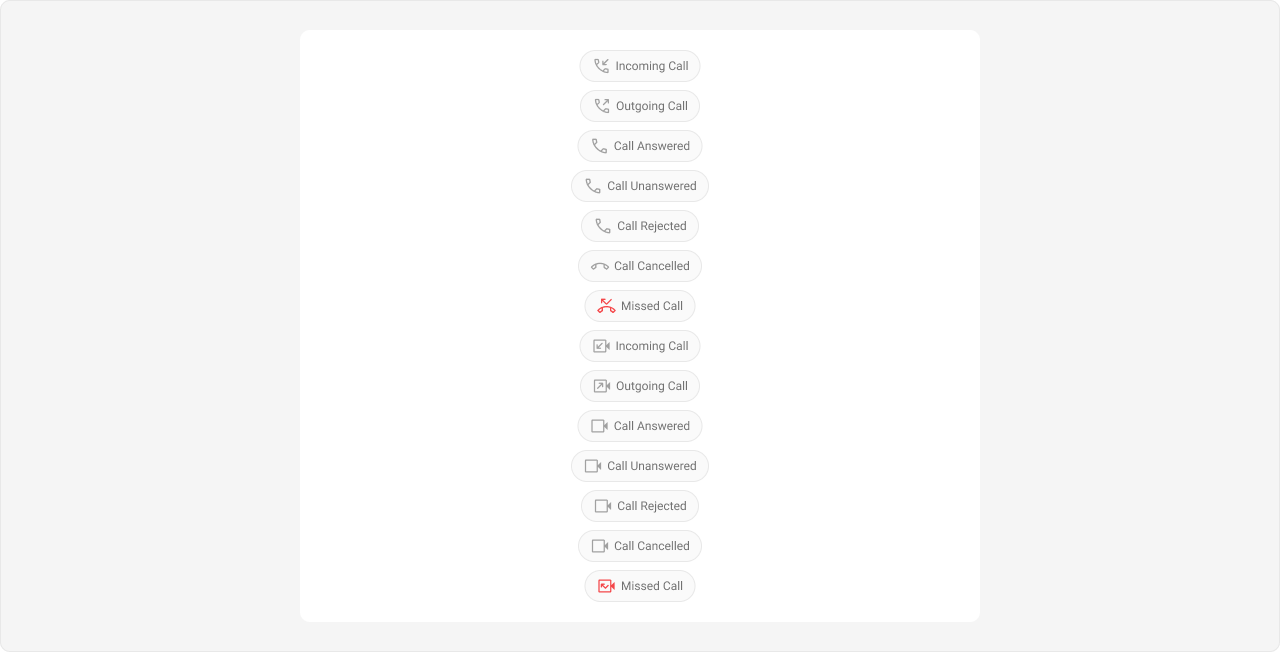 The customized chat interface is displayed below.
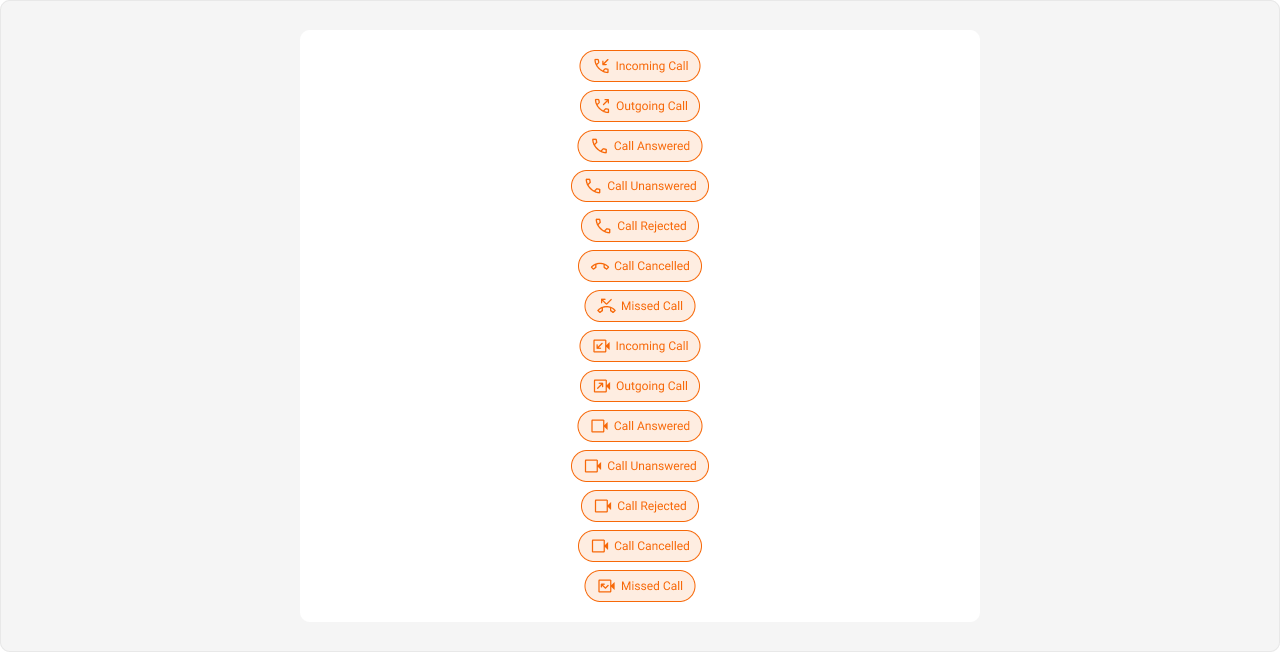 Use the following code to achieve the customization shown above.
```csharp App.css theme={null}
.cometchat .cometchat-message-bubble__body .cometchat-action-bubble {
--cometchat-primary-color: #f76808;
background-color: #feede1;
--cometchat-text-color-secondary: #f76808;
--cometchat-icon-color-secondary: #f76808;
--cometchat-border-color-default: #f76808;
}
```
***
### Extensions
#### Collaborative Whiteboard Bubble
Shown below is the default chat interface.
Use the following code to achieve the customization shown above.
```csharp App.css theme={null}
.cometchat .cometchat-message-bubble__body .cometchat-action-bubble {
--cometchat-primary-color: #f76808;
background-color: #feede1;
--cometchat-text-color-secondary: #f76808;
--cometchat-icon-color-secondary: #f76808;
--cometchat-border-color-default: #f76808;
}
```
***
### Extensions
#### Collaborative Whiteboard Bubble
Shown below is the default chat interface.
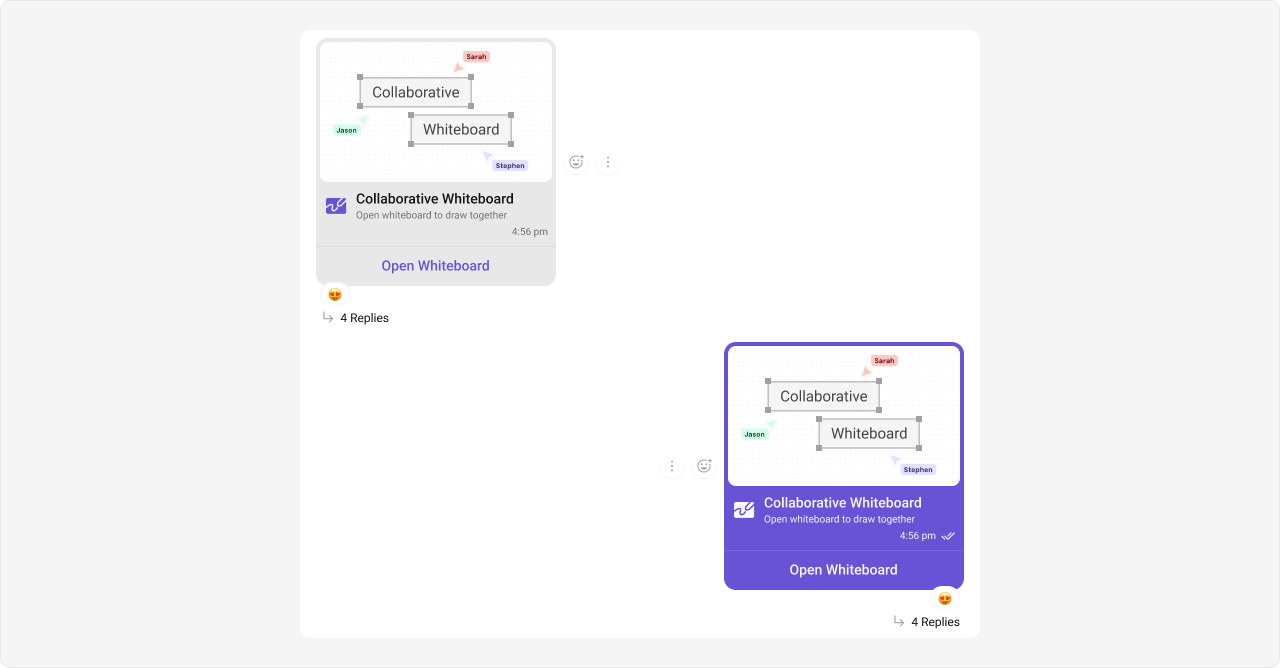 The customized chat interface is displayed below.
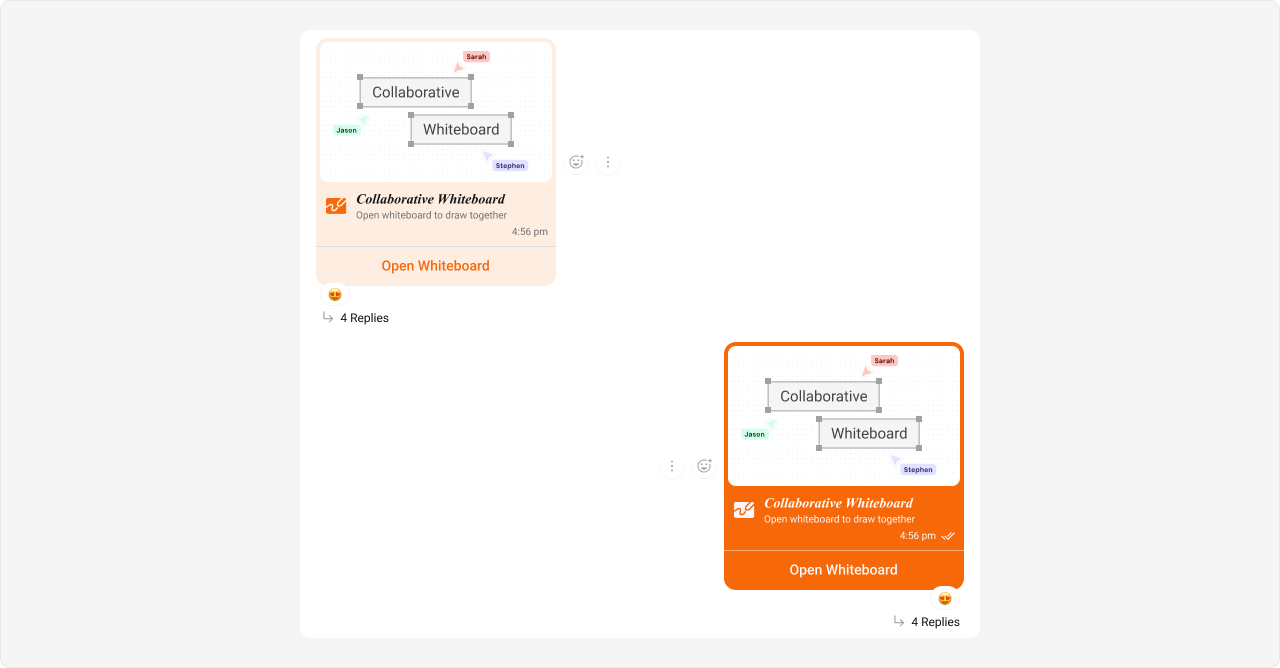 Use the following code to achieve the customization shown above.
```csharp App.css theme={null}
/* Outgoing Collaborative Whiteboard Bubble */
.cometchat
.cometchat-message-bubble-outgoing
.cometchat-message-bubble__body.cometchat-message-bubble__whiteboard-message {
--cometchat-primary-color: #f76808;
}
/* Incoming Collaborative Whiteboard Bubble */
.cometchat
.cometchat-message-bubble-incoming
.cometchat-message-bubble__body.cometchat-message-bubble__whiteboard-message {
--cometchat-primary-color: #f76808;
--cometchat-primary-button-background: #f76808;
--cometchat-neutral-color-300: #feede1;
}
```
***
#### Collaborative Document Bubble
Shown below is the default chat interface.
Use the following code to achieve the customization shown above.
```csharp App.css theme={null}
/* Outgoing Collaborative Whiteboard Bubble */
.cometchat
.cometchat-message-bubble-outgoing
.cometchat-message-bubble__body.cometchat-message-bubble__whiteboard-message {
--cometchat-primary-color: #f76808;
}
/* Incoming Collaborative Whiteboard Bubble */
.cometchat
.cometchat-message-bubble-incoming
.cometchat-message-bubble__body.cometchat-message-bubble__whiteboard-message {
--cometchat-primary-color: #f76808;
--cometchat-primary-button-background: #f76808;
--cometchat-neutral-color-300: #feede1;
}
```
***
#### Collaborative Document Bubble
Shown below is the default chat interface.
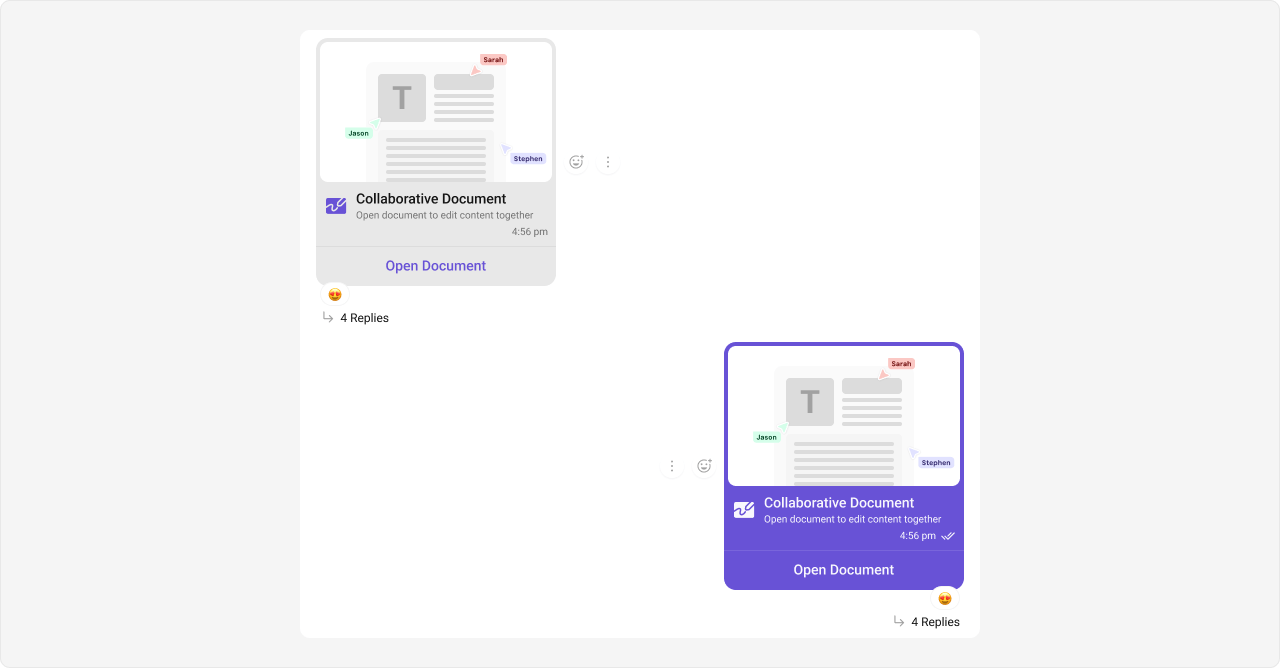 The customized chat interface is displayed below.
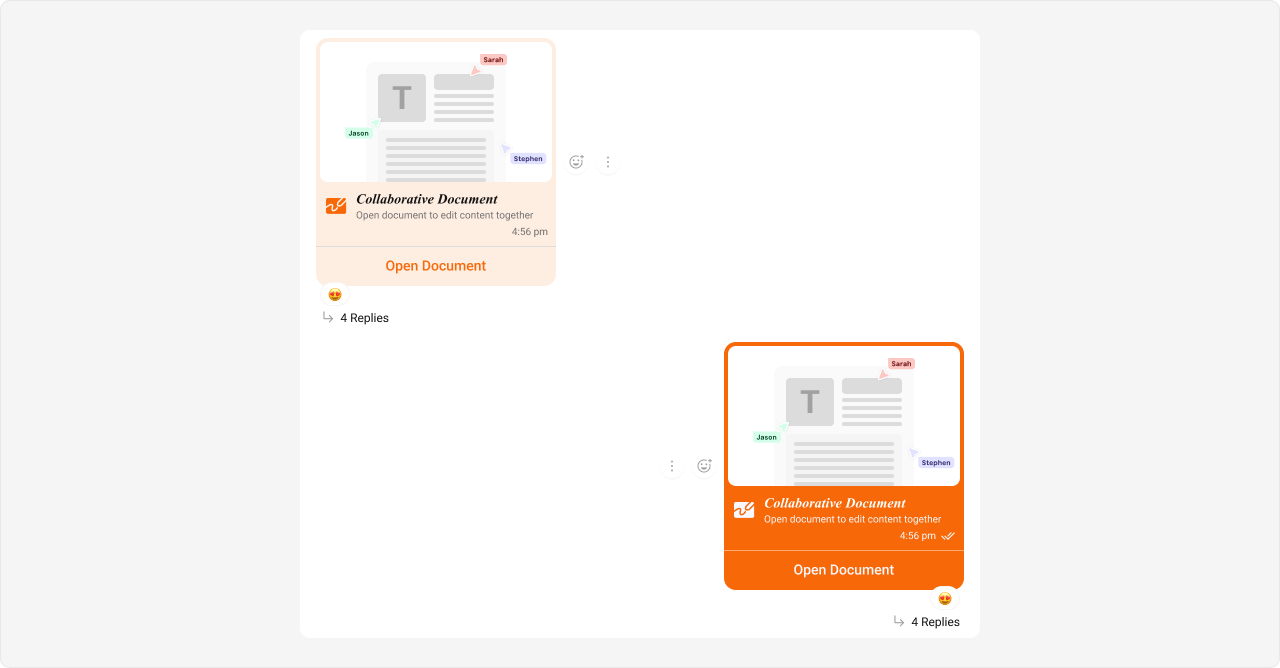 Use the following code to achieve the customization shown above.
```csharp App.css theme={null}
/* Outgoing Collaborative Document Bubble */
.cometchat
.cometchat-message-bubble-outgoing
.cometchat-message-bubble__body.cometchat-message-bubble__document-message {
--cometchat-primary-color: #f76808;
}
/* Incoming Collaborative Document Bubble */
.cometchat
.cometchat-message-bubble-incoming
.cometchat-message-bubble__body.cometchat-message-bubble__document-message {
--cometchat-primary-color: #f76808;
--cometchat-primary-button-background: #f76808;
--cometchat-neutral-color-300: #feede1;
}
```
***
#### Polls Bubble
Shown below is the default chat interface.
Use the following code to achieve the customization shown above.
```csharp App.css theme={null}
/* Outgoing Collaborative Document Bubble */
.cometchat
.cometchat-message-bubble-outgoing
.cometchat-message-bubble__body.cometchat-message-bubble__document-message {
--cometchat-primary-color: #f76808;
}
/* Incoming Collaborative Document Bubble */
.cometchat
.cometchat-message-bubble-incoming
.cometchat-message-bubble__body.cometchat-message-bubble__document-message {
--cometchat-primary-color: #f76808;
--cometchat-primary-button-background: #f76808;
--cometchat-neutral-color-300: #feede1;
}
```
***
#### Polls Bubble
Shown below is the default chat interface.
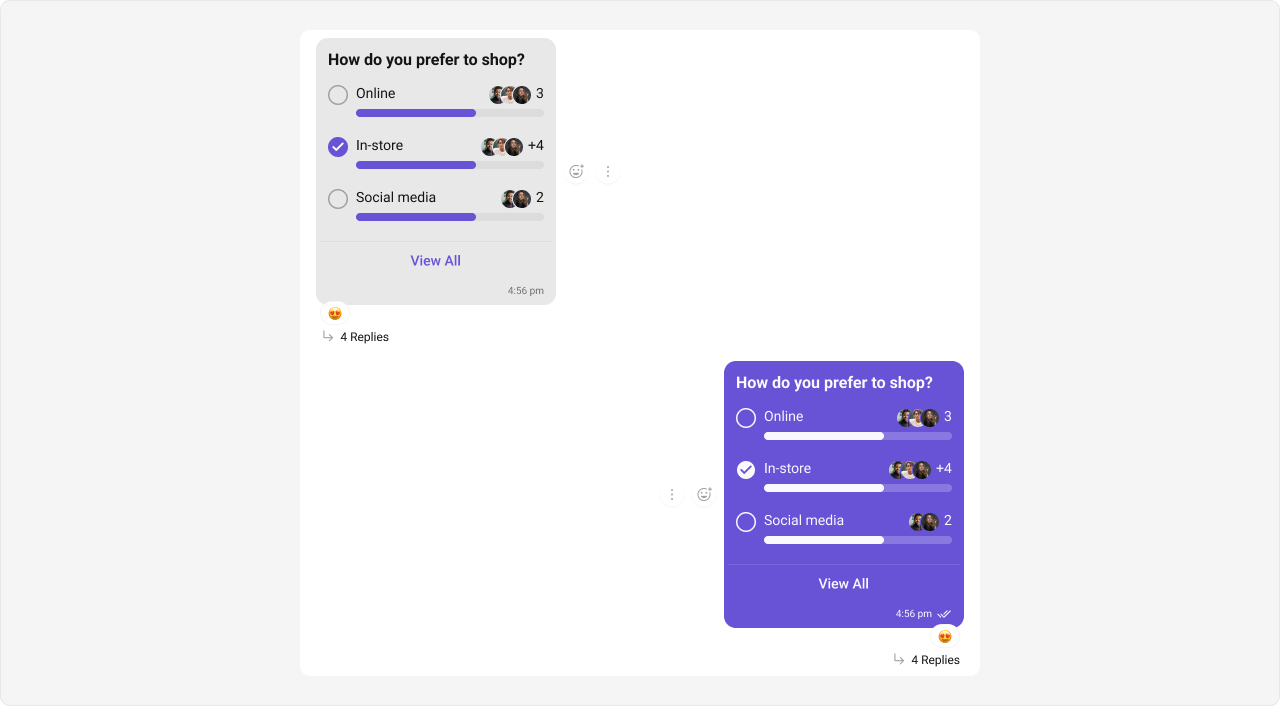 The customized chat interface is displayed below.
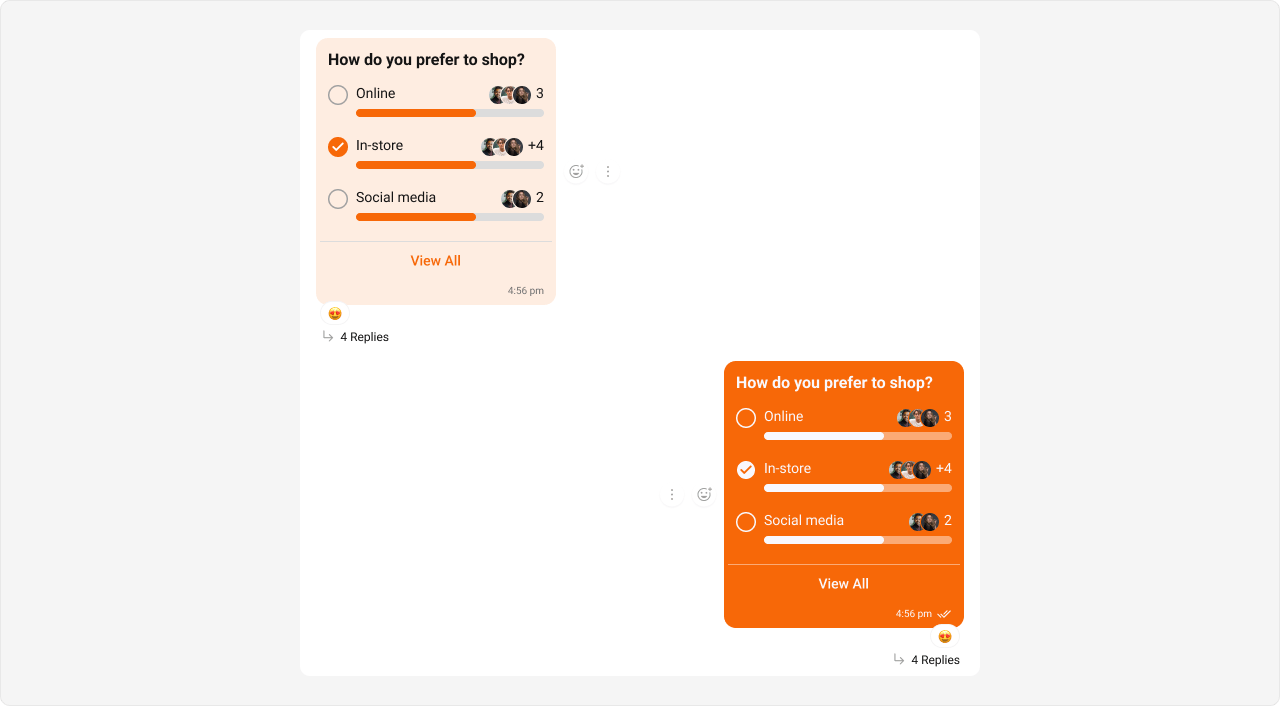 Use the following code to achieve the customization shown above.
```csharp App.css theme={null}
/* Outgoing Poll Message Bubble */
.cometchat
.cometchat-message-bubble-outgoing
.cometchat-message-bubble__body.cometchat-message-bubble__poll-message {
--cometchat-primary-color: #f76808;
--cometchat-extended-primary-color-700: #fbaa75;
}
/* Incoming Poll Message Bubble */
.cometchat
.cometchat-message-bubble-incoming
.cometchat-message-bubble__body.cometchat-message-bubble__poll-message {
--cometchat-primary-color: #f76808;
--cometchat-neutral-color-300: #feede1;
}
```
***
#### Stickers Bubble
Shown below is the default chat interface.
Use the following code to achieve the customization shown above.
```csharp App.css theme={null}
/* Outgoing Poll Message Bubble */
.cometchat
.cometchat-message-bubble-outgoing
.cometchat-message-bubble__body.cometchat-message-bubble__poll-message {
--cometchat-primary-color: #f76808;
--cometchat-extended-primary-color-700: #fbaa75;
}
/* Incoming Poll Message Bubble */
.cometchat
.cometchat-message-bubble-incoming
.cometchat-message-bubble__body.cometchat-message-bubble__poll-message {
--cometchat-primary-color: #f76808;
--cometchat-neutral-color-300: #feede1;
}
```
***
#### Stickers Bubble
Shown below is the default chat interface.
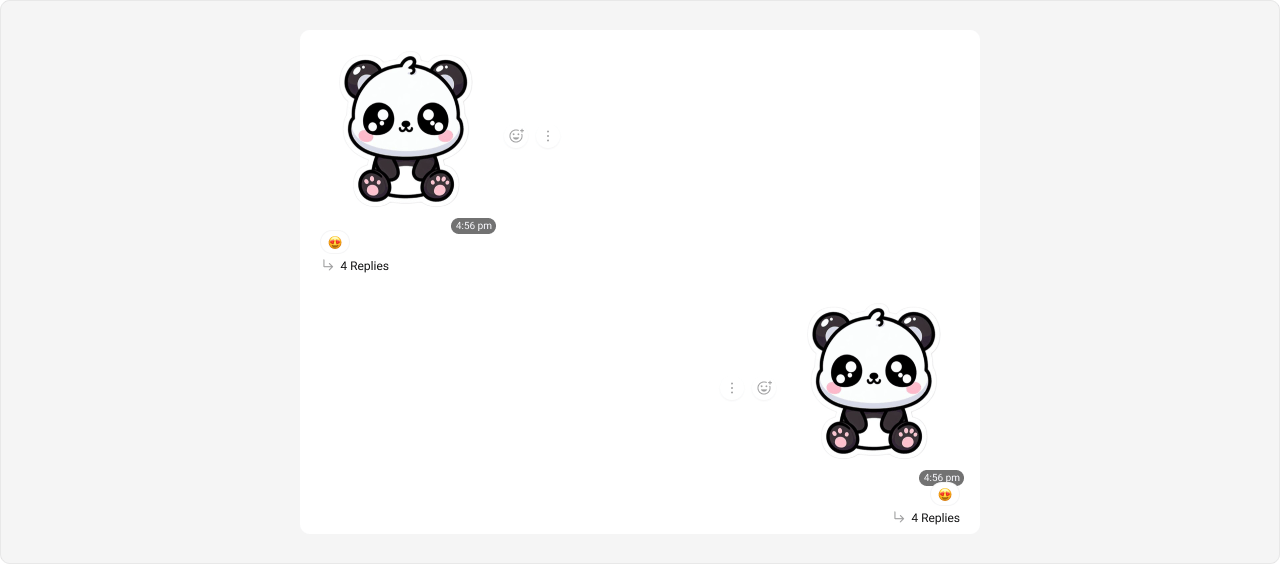 The customized chat interface is displayed below.
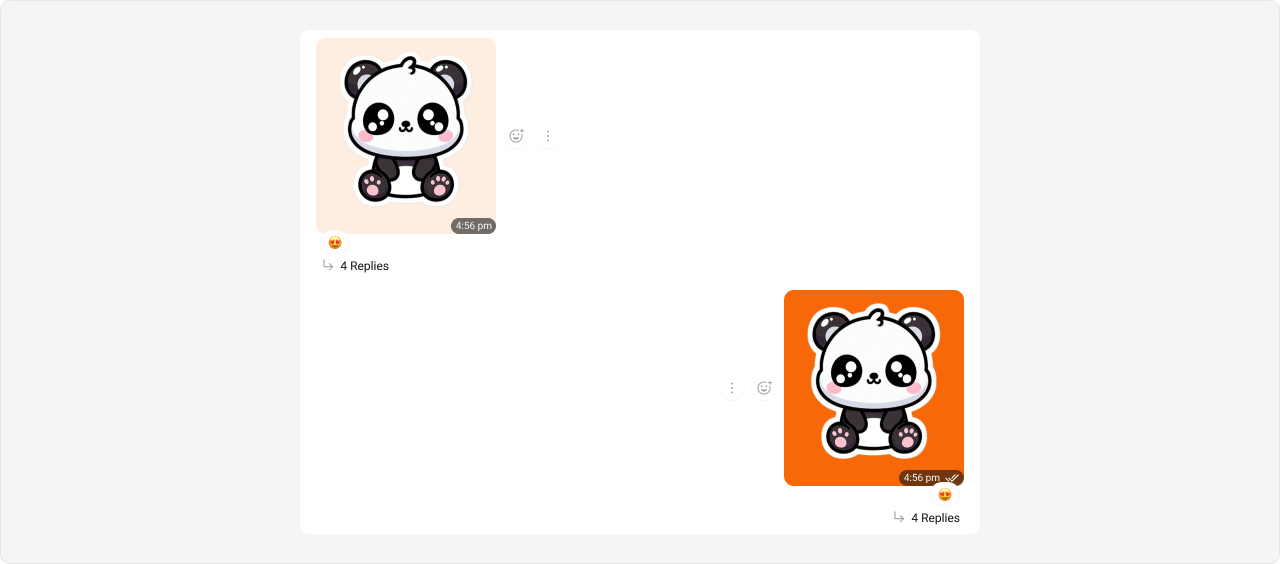 Use the following code to achieve the customization shown above.
```csharp App.css theme={null}
/* Outgoing Sticker Bubble */
.cometchat
.cometchat-message-bubble-outgoing
.cometchat-message-bubble__body.cometchat-message-bubble__sticker-message {
--cometchat-primary-color: #f76808;
}
/* Incoming Sticker Bubble */
.cometchat
.cometchat-message-bubble-incoming
.cometchat-message-bubble__body.cometchat-message-bubble__sticker-message {
--cometchat-neutral-color-300: #feede1;
}
```
***
#### Link Preview Bubble
Shown below is the default chat interface.
Use the following code to achieve the customization shown above.
```csharp App.css theme={null}
/* Outgoing Sticker Bubble */
.cometchat
.cometchat-message-bubble-outgoing
.cometchat-message-bubble__body.cometchat-message-bubble__sticker-message {
--cometchat-primary-color: #f76808;
}
/* Incoming Sticker Bubble */
.cometchat
.cometchat-message-bubble-incoming
.cometchat-message-bubble__body.cometchat-message-bubble__sticker-message {
--cometchat-neutral-color-300: #feede1;
}
```
***
#### Link Preview Bubble
Shown below is the default chat interface.
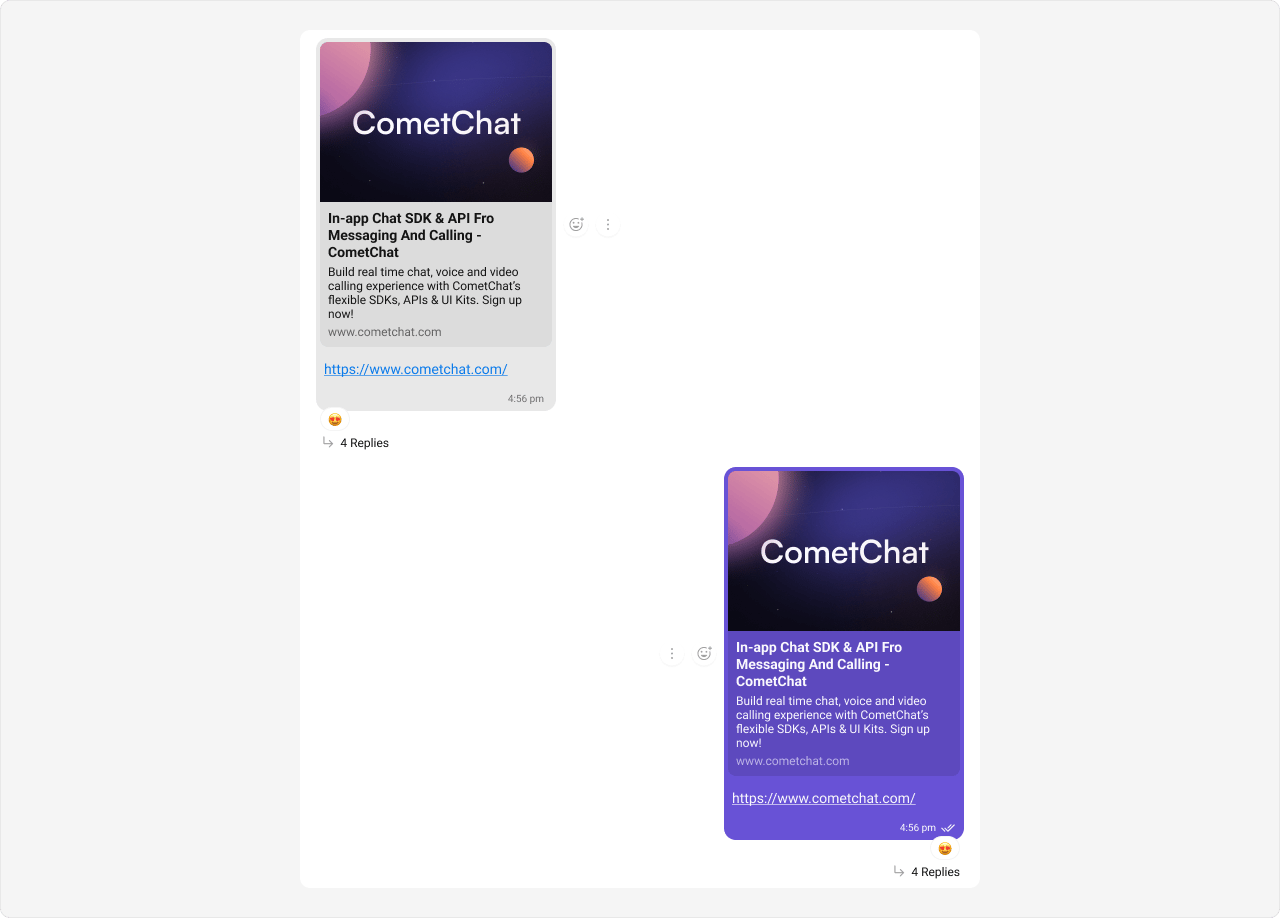 The customized chat interface is displayed below.
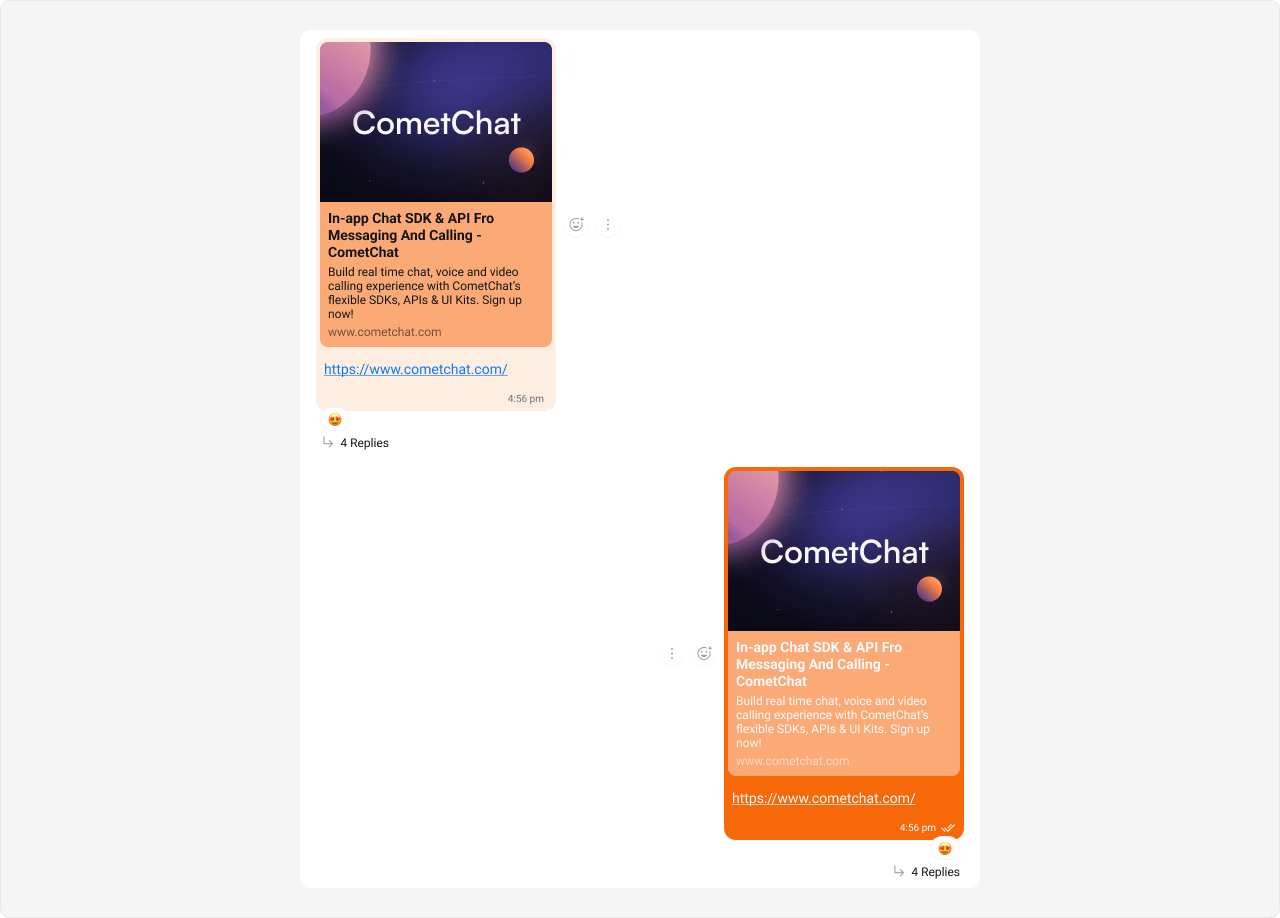 Use the following code to achieve the customization shown above.
```csharp App.css theme={null}
/* Outgoing Link Preview Bubble */
.cometchat
.cometchat-message-bubble-outgoing
.cometchat-message-bubble__body.cometchat-message-bubble__text-message {
--cometchat-primary-color: #f76808;
--cometchat-extended-primary-color-900: #fbaa75;
}
/* Incoming Link Preview Bubble */
.cometchat
.cometchat-message-bubble-incoming
.cometchat-message-bubble__body.cometchat-message-bubble__text-message {
--cometchat-neutral-color-400: #fbaa75;
--cometchat-neutral-color-300: #feede1;
}
```
***
Use the following code to achieve the customization shown above.
```csharp App.css theme={null}
/* Outgoing Link Preview Bubble */
.cometchat
.cometchat-message-bubble-outgoing
.cometchat-message-bubble__body.cometchat-message-bubble__text-message {
--cometchat-primary-color: #f76808;
--cometchat-extended-primary-color-900: #fbaa75;
}
/* Incoming Link Preview Bubble */
.cometchat
.cometchat-message-bubble-incoming
.cometchat-message-bubble__body.cometchat-message-bubble__text-message {
--cometchat-neutral-color-400: #fbaa75;
--cometchat-neutral-color-300: #feede1;
}
```
***