> ## Documentation Index
> Fetch the complete documentation index at: https://cometchat-22654f5b-docs-rn-guide-message-privately.mintlify.site/llms.txt
> Use this file to discover all available pages before exploring further.
# URL Formatter
> URL Formatter — CometChat integration guide.
## Overview
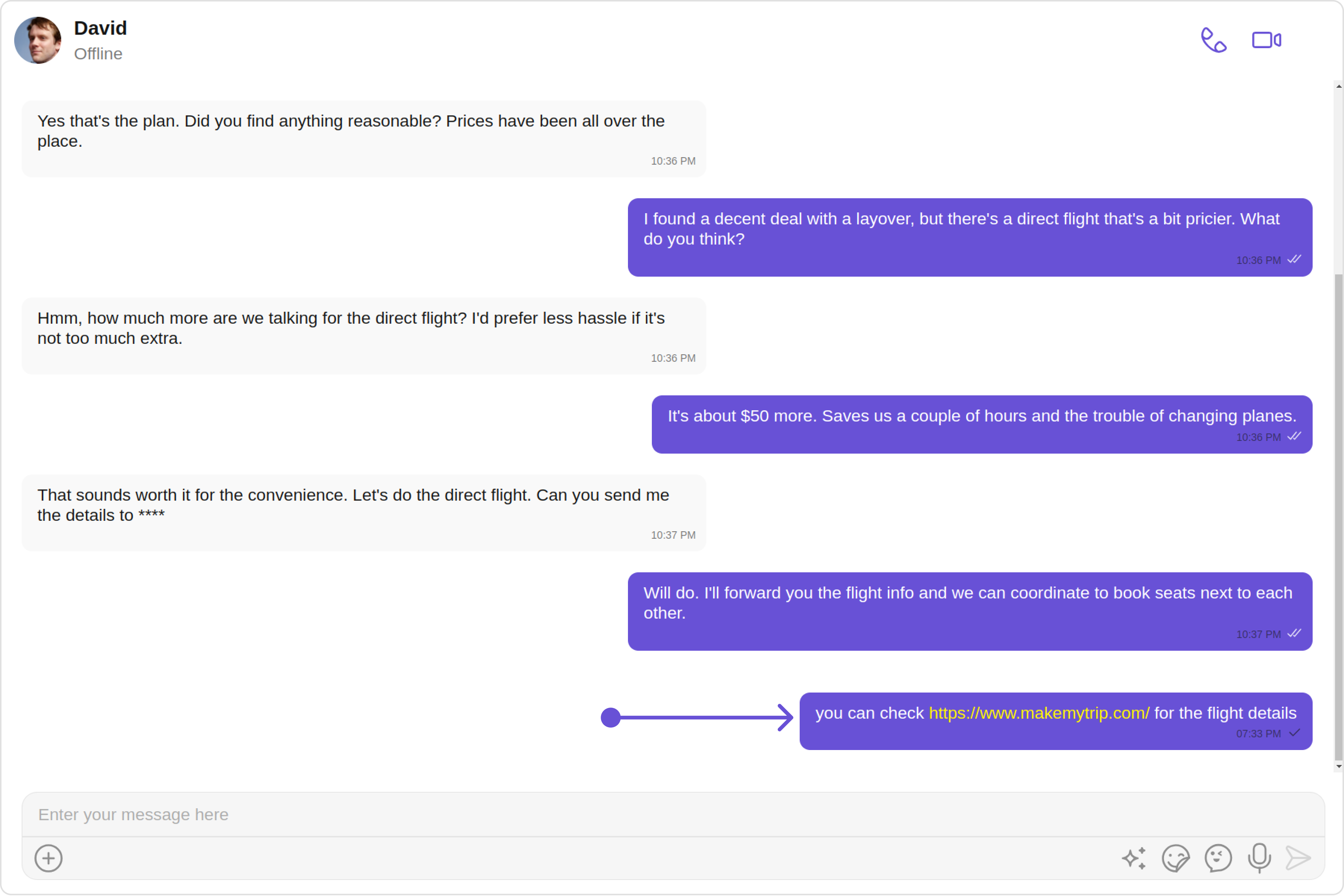
`CometChatUrlsFormatter` is a specialized subclass of `CometChatTextFormatter` designed to automatically detect URLs in text messages and convert them into clickable links, allowing users to navigate to the web addresses effortlessly within your CometChat application.
 ## Usage
`CometChatUrlsFormatter` utilizes regular expressions to identify URLs and applies styles to make them visually distinct as clickable links. Here's an example of how to extend the `CometChatTextFormatter` to create a URL text formatter:
```typescript theme={null}
import { CometChatTextFormatter } from "path-to-cometchat-text-formatter";
export class CometChatUrlsFormatter extends CometChatTextFormatter {
constructor(regexPatterns) {
super();
this.setRegexPatterns(regexPatterns);
}
onRegexMatch(inputText) {
// Override with URL matching and formatting logic
return this.formatUrls(inputText);
}
registerEventListeners(element, classList) {
// Override to handle click events for opening URLs
if (classList.contains("clickable-url")) {
element.addEventListener("click", this.onUrlClick);
}
return element;
}
// Define additional methods as needed...
}
// Example usage:
const urlFormatter = new CometChatUrlsFormatter([/(https?:\/\/[^\s]+)/g]);
const formattedMessage = urlFormatter.getFormattedText(
"Visit https://www.cometchat.com for more info."
);
console.log(formattedMessage); // Outputs message with clickable link
```
## Customize
When implementing the CometChatUrlsFormatter, you can customize the appearance of links and the behavior when clicked:
* Modify the onRegexMatch method to wrap detected URLs in a span element with custom classes for styling.
* In registerEventListeners, define the onUrlClick method to handle opening URLs, tracking analytics, or other custom behavior upon click.
#### Style
Apply CSS to style your clickable links, for example:
```css theme={null}
.clickable-url {
color: #1a0dab;
text-decoration: underline;
cursor: pointer;
}
```
#### Handling Click Events
Implement the onUrlClick method within your formatter class to define custom logic for when a link is clicked:
```javascript theme={null}
onUrlClick(event) {
const url = event.target.dataset.url;
window.open(url, '_blank');
}
```
## Usage
`CometChatUrlsFormatter` utilizes regular expressions to identify URLs and applies styles to make them visually distinct as clickable links. Here's an example of how to extend the `CometChatTextFormatter` to create a URL text formatter:
```typescript theme={null}
import { CometChatTextFormatter } from "path-to-cometchat-text-formatter";
export class CometChatUrlsFormatter extends CometChatTextFormatter {
constructor(regexPatterns) {
super();
this.setRegexPatterns(regexPatterns);
}
onRegexMatch(inputText) {
// Override with URL matching and formatting logic
return this.formatUrls(inputText);
}
registerEventListeners(element, classList) {
// Override to handle click events for opening URLs
if (classList.contains("clickable-url")) {
element.addEventListener("click", this.onUrlClick);
}
return element;
}
// Define additional methods as needed...
}
// Example usage:
const urlFormatter = new CometChatUrlsFormatter([/(https?:\/\/[^\s]+)/g]);
const formattedMessage = urlFormatter.getFormattedText(
"Visit https://www.cometchat.com for more info."
);
console.log(formattedMessage); // Outputs message with clickable link
```
## Customize
When implementing the CometChatUrlsFormatter, you can customize the appearance of links and the behavior when clicked:
* Modify the onRegexMatch method to wrap detected URLs in a span element with custom classes for styling.
* In registerEventListeners, define the onUrlClick method to handle opening URLs, tracking analytics, or other custom behavior upon click.
#### Style
Apply CSS to style your clickable links, for example:
```css theme={null}
.clickable-url {
color: #1a0dab;
text-decoration: underline;
cursor: pointer;
}
```
#### Handling Click Events
Implement the onUrlClick method within your formatter class to define custom logic for when a link is clicked:
```javascript theme={null}
onUrlClick(event) {
const url = event.target.dataset.url;
window.open(url, '_blank');
}
```