> ## Documentation Index
> Fetch the complete documentation index at: https://cometchat-22654f5b-docs-rn-guide-message-privately.mintlify.site/llms.txt
> Use this file to discover all available pages before exploring further.
# ShortCut Formatter
> ShortCut Formatter — CometChat integration guide.
## Introduction
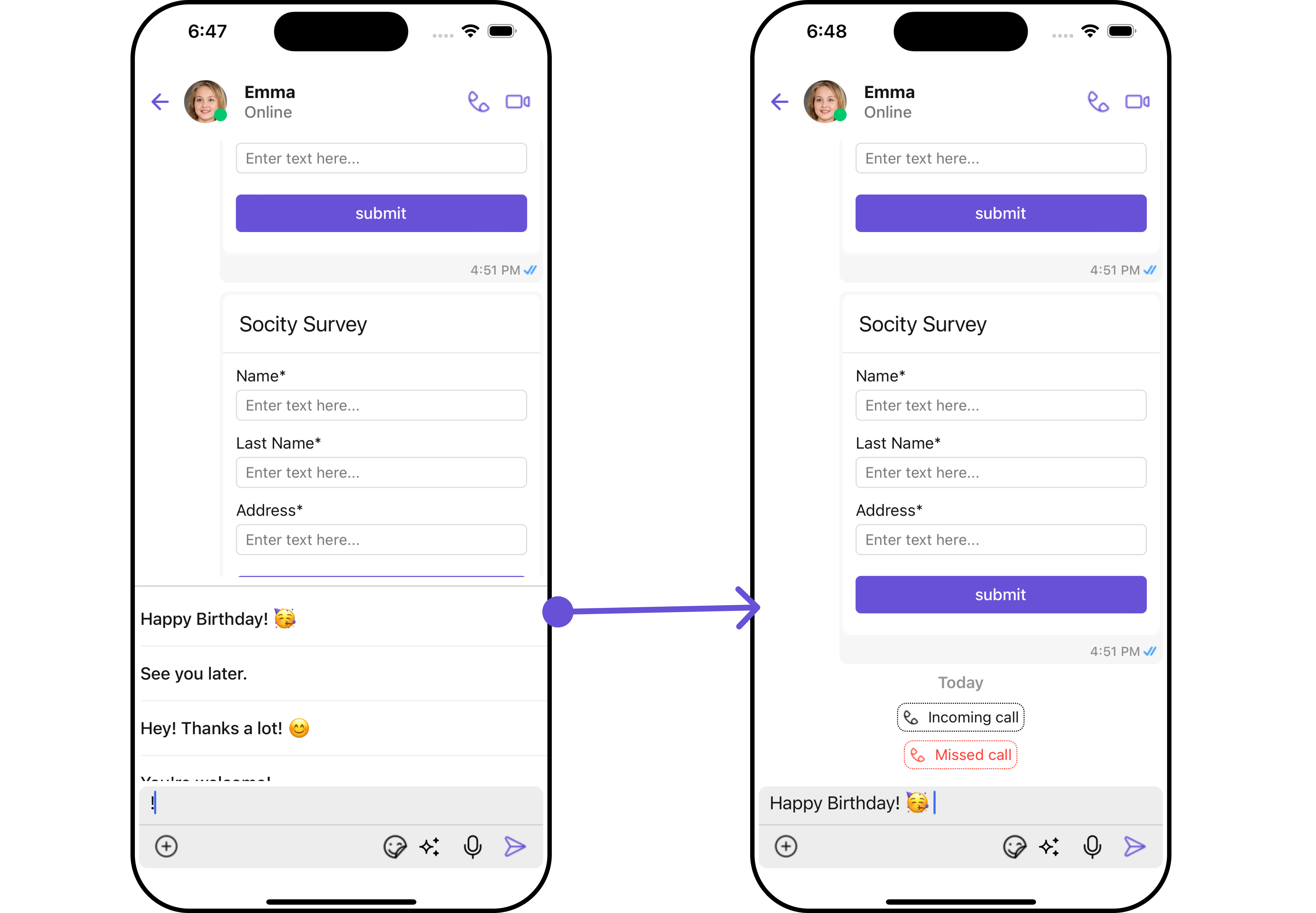
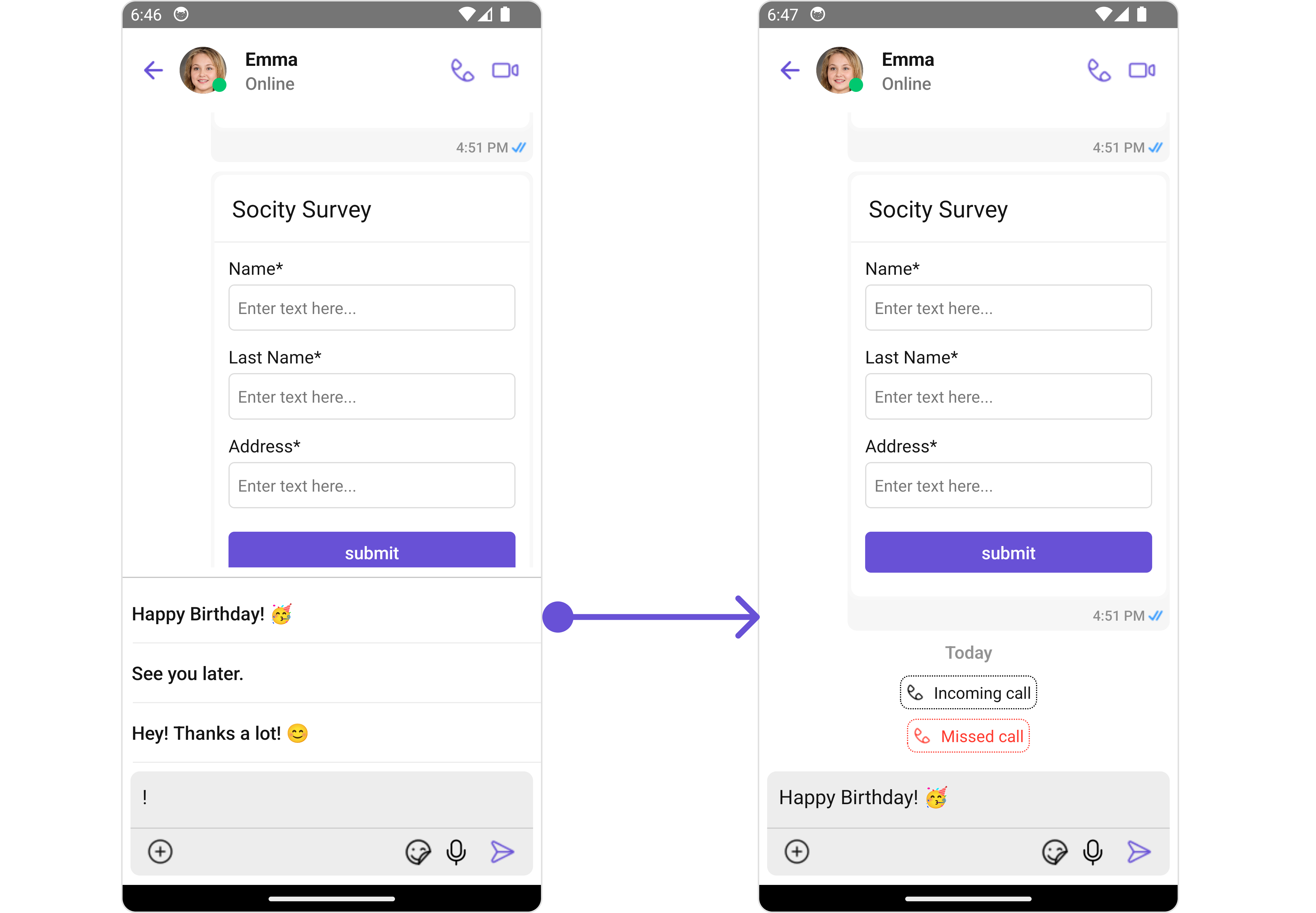
The `ShortCutFormatter` class extends the `CometChatTextFormatter` class to provide a mechanism for handling shortcuts within messages. This guide will walk you through the process of using ShortCutFormatter to implement shortcut extensions in your CometChat application.
## Setup
1. **Create the ShortCutFormatter Class**: Define the ShortCutFormatter class by extending the CometChatTextFormatter class.
```ts theme={null}
import { CometChat } from "@cometchat/chat-sdk-react-native";
import {
CometChatTextFormatter,
SuggestionItem,
} from "@cometchat/chat-uikit-react-native";
export class ShortCutFormatter extends CometChatTextFormatter {
constructor() {
super();
this.trackCharacter = "!";
}
}
```
2. **Override Search Method**: Override the search() method to search for shortcuts based on the entered search text.
```ts theme={null}
search = (searchKey: string) => {
let data: Array = [];
CometChat.callExtension("message-shortcuts", "GET", "v1/fetch", undefined)
.then((data: any) => {
if (data && data?.shortcuts) {
let suggestionData = Object.keys(data.shortcuts).map((key) => {
return new SuggestionItem({
id: key,
name: data.shortcuts[key],
promptText: data.shortcuts[key],
trackingCharacter: "!",
underlyingText: data.shortcuts[key],
});
});
this.setSearchData(suggestionData); // setting data in setSearchData();
}
})
.catch((error) => {
// Some error occured
});
this.setSearchData(data);
};
// return null in fetchNext, if there's no pagination.
fetchNext = () => {
return null;
};
```
## Usage
1. **Initialization**: Initialize an instance of `ShortCutFormatter` in your application.
```tsx theme={null}
import React from "react";
import { CometChat } from "@cometchat/chat-sdk-react-native";
import {
CometChatMessages,
CometChatMentionsFormatter,
} from "@cometchat/chat-uikit-react-native";
function App(): React.JSX.Element {
const [chatUser, setChatUser] = React.useState();
React.useEffect(() => {
CometChat.getUser("uid").then((user) => {
setChatUser(user);
});
}, []);
const shortcutFormatter = new ShortCutFormatter();
return (
<>
{chatUser && (
)}
);
}
```
## Example