> ## Documentation Index
> Fetch the complete documentation index at: https://cometchat-22654f5b-docs-rn-guide-message-privately.mintlify.site/llms.txt
> Use this file to discover all available pages before exploring further.
# UI Components
> UI Components — CometChat documentation.
**UI Components** are building blocks of the UI Kit. **UI Components** are a set of custom classes specially designed to build a rich chat app. There are different UI Components available in the UI Kit Library.
### CometChatUI
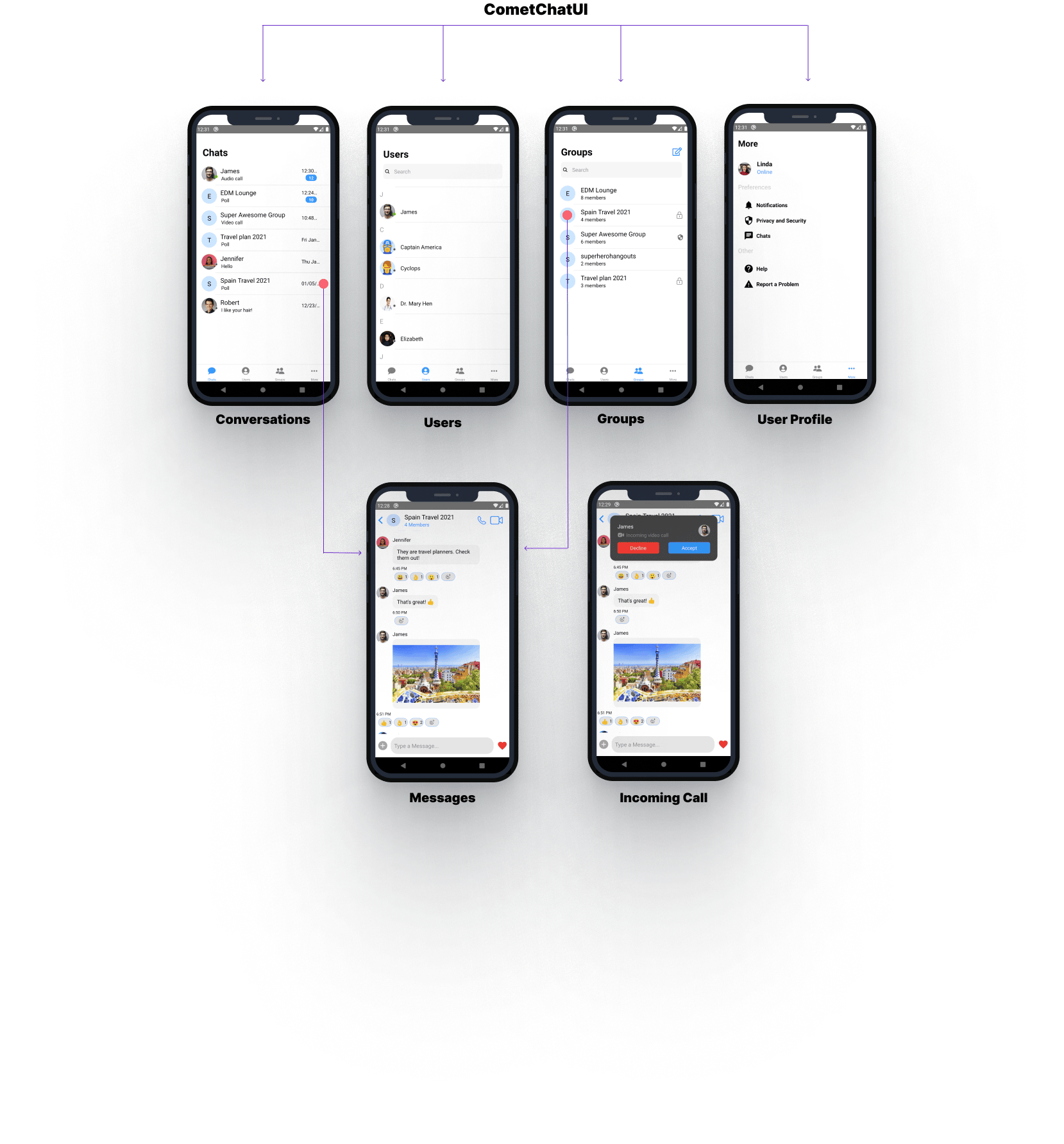
**CometChatUI** is an option to launch a fully functional chat application using the UI Kit. In **CometChatUI** all the **UI Components** are interlinked and work together to launch a fully functional chat on your application.
 ```js theme={null}
import React from 'react';
import {View, Text} from 'react-native';
import {CometChatUI} from '../cometchat-pro-react-native-ui-kit';
export default function CometChatUIView() {
return (
);
}
```
### CometChatUserListWithMessages
The `CometChatUserListWithMessages` is a component with a list of users. The component has all the necessary listeners and methods required to display the user's list and shows the set of the messages/chats of the selected user
```js theme={null}
import React from 'react';
import {View, Text} from 'react-native';
import {CometChatUI} from '../cometchat-pro-react-native-ui-kit';
export default function CometChatUIView() {
return (
);
}
```
### CometChatUserListWithMessages
The `CometChatUserListWithMessages` is a component with a list of users. The component has all the necessary listeners and methods required to display the user's list and shows the set of the messages/chats of the selected user
 ```js theme={null}
import { CometChatUserListWithMessages } from '../cometchat-pro-react-native-ui-kit';
function StackNavigator(props) {
const Stack = createStackNavigator();
return (
);
}
```
If you want to use this as a child component, then use the below code.
```js theme={null}
import React from 'react';
import {View} from 'react-native';
import {CometChatUserListWithMessages} from '../cometchat-pro-react-native-ui-kit';
export default function CometChatUserListWithMessagesView({navigation}) {
return (
);
}
```
### CometChatGroupListWithMessages
The `CometChatGroupWithMessages` is a component with a list of groups. The component has all the necessary listeners and methods required to display the group's list and shows the set of the messages/chats of the selected group
```js theme={null}
import { CometChatUserListWithMessages } from '../cometchat-pro-react-native-ui-kit';
function StackNavigator(props) {
const Stack = createStackNavigator();
return (
);
}
```
If you want to use this as a child component, then use the below code.
```js theme={null}
import React from 'react';
import {View} from 'react-native';
import {CometChatUserListWithMessages} from '../cometchat-pro-react-native-ui-kit';
export default function CometChatUserListWithMessagesView({navigation}) {
return (
);
}
```
### CometChatGroupListWithMessages
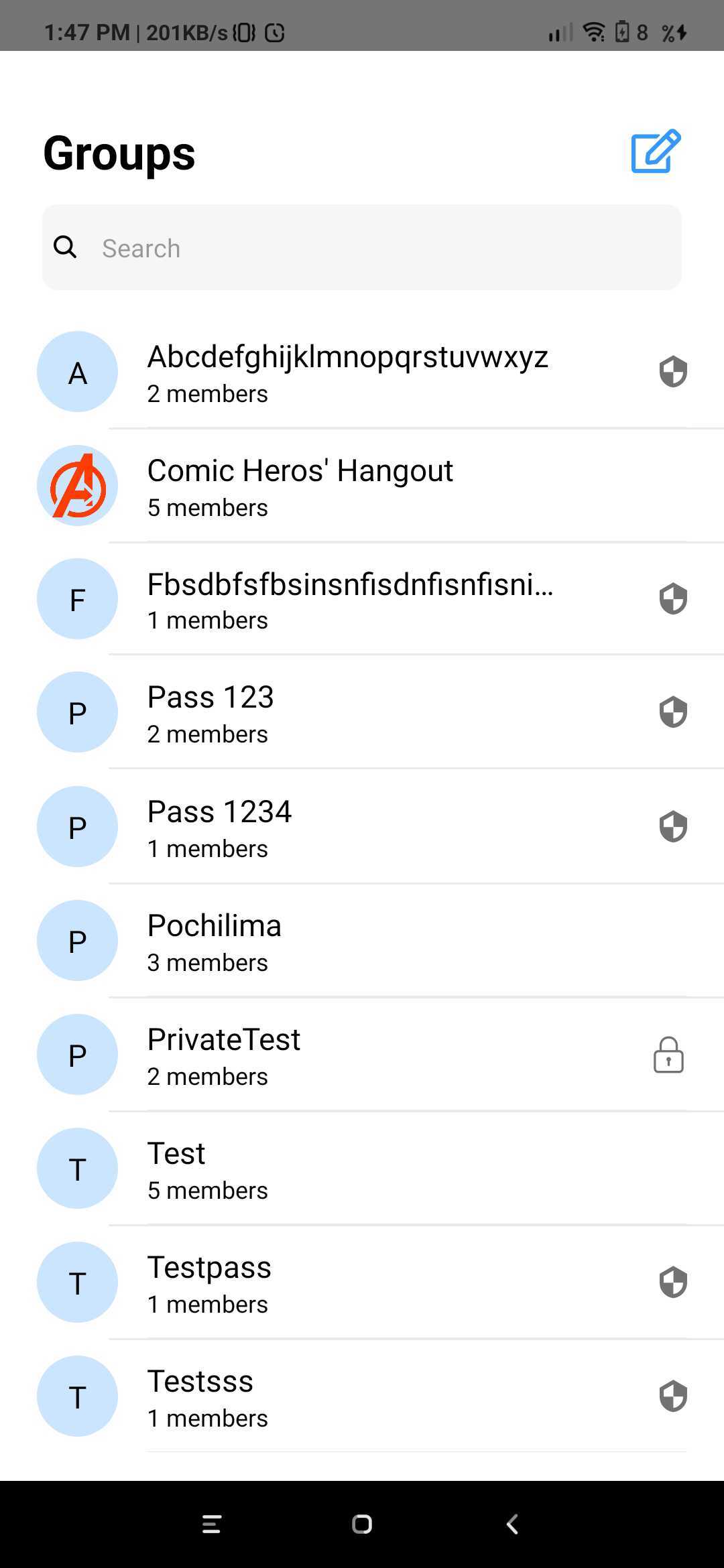
The `CometChatGroupWithMessages` is a component with a list of groups. The component has all the necessary listeners and methods required to display the group's list and shows the set of the messages/chats of the selected group
 ```js theme={null}
import { CometChatGroupListWithMessages } from '../cometchat-pro-react-native-ui-kit';
function StackNavigator(props) {
const Stack = createStackNavigator();
return (
);
}
```
If you want to use this as a child component, then use the below code.
```js theme={null}
import React from 'react';
import {View, Text} from 'react-native';
import {CometChatGroupListWithMessages} from '../cometchat-pro-react-native-ui-kit';
export default function CometChatGroupListWithMessagesView({navigation}) {
return (
);
}
```
### CometChatMessages
The `CometChatMessages` is a component with a list of messages/chats and shows the message component header and message composer.
```js theme={null}
import { CometChatGroupListWithMessages } from '../cometchat-pro-react-native-ui-kit';
function StackNavigator(props) {
const Stack = createStackNavigator();
return (
);
}
```
If you want to use this as a child component, then use the below code.
```js theme={null}
import React from 'react';
import {View, Text} from 'react-native';
import {CometChatGroupListWithMessages} from '../cometchat-pro-react-native-ui-kit';
export default function CometChatGroupListWithMessagesView({navigation}) {
return (
);
}
```
### CometChatMessages
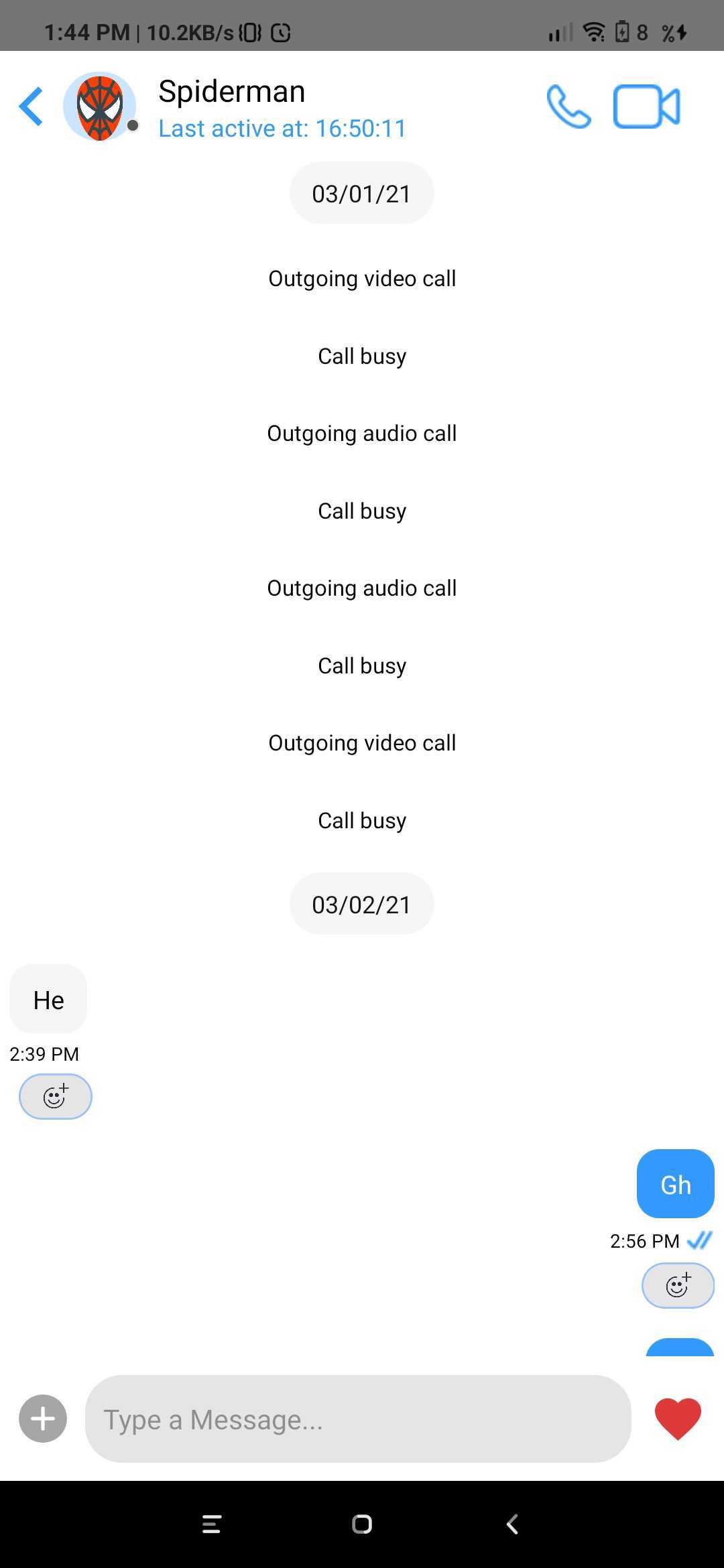
The `CometChatMessages` is a component with a list of messages/chats and shows the message component header and message composer.
 ```js theme={null}
import React, {useEffect, useState} from 'react';
import {View} from 'react-native';
import {CometChat} from '@cometchat-pro/react-native-chat';
import {CometChatMessages} from '../cometchat-pro-react-native-ui-kit';
export default function CometChatMessagesView({navigation}) {
const [localUser, setLocalUser] = useState(null);
useEffect(() => {
var user = CometChat.getLoggedinUser().then(
(user) => {
console.log('user details:', {user});
setLocalUser(user);
},
(error) => {
console.log('error getting details:', {error});
},
);
}, []);
return (
{localUser ? (
{
console.log(actionType);
}}
/>
) : null}
);
}
```
| Parameter | Description | Type |
| --------------- | --------------------------------------------------------------------------------------------------------------------------------------------------------------------------------------------------------------------------------------------------------------------------------------------------------------------------------------------------------------------------------------------------------------------------------------------------------------------------------------------------------------------------------------------------------------------------------------------------------------------------------------------------------------------------------------------------------------------------------------------------------------------------------------------------------------------------------------------------------------------------------------------------------------------------------------------------------------------------------------------------------------- | -------- |
| type | Value should be *string*. defines the type of chat. Its value can be *user* or "group". | Optional |
| item | Value should be *Object*. The object will be of user or group depending on type. This is an example object for user
```js theme={null}
import React, {useEffect, useState} from 'react';
import {View} from 'react-native';
import {CometChat} from '@cometchat-pro/react-native-chat';
import {CometChatMessages} from '../cometchat-pro-react-native-ui-kit';
export default function CometChatMessagesView({navigation}) {
const [localUser, setLocalUser] = useState(null);
useEffect(() => {
var user = CometChat.getLoggedinUser().then(
(user) => {
console.log('user details:', {user});
setLocalUser(user);
},
(error) => {
console.log('error getting details:', {error});
},
);
}, []);
return (
{localUser ? (
{
console.log(actionType);
}}
/>
) : null}
);
}
```
| Parameter | Description | Type |
| --------------- | --------------------------------------------------------------------------------------------------------------------------------------------------------------------------------------------------------------------------------------------------------------------------------------------------------------------------------------------------------------------------------------------------------------------------------------------------------------------------------------------------------------------------------------------------------------------------------------------------------------------------------------------------------------------------------------------------------------------------------------------------------------------------------------------------------------------------------------------------------------------------------------------------------------------------------------------------------------------------------------------------------------- | -------- |
| type | Value should be *string*. defines the type of chat. Its value can be *user* or "group". | Optional |
| item | Value should be *Object*. The object will be of user or group depending on type. This is an example object for user
\{ hasBlockedMe: false,
blockedByMe: false,
uid: 'cometchat-uid-3',
name: 'Nancy Grace',
avatar: '[https://data-us.cometchat.io/assets/images/avatars/cometchat-uid-3.webp'](https://data-us.cometchat.io/assets/images/avatars/cometchat-uid-3.webp'),
lastActiveAt: 1614597611,
role: 'default',
status: 'offline',
} | Required |
| loggedInUser | Value should be *Object*. This props takes the details of current logged in user, | Required |
| actionGenerated | Value should be *function*. Tis is a callback function called when user perform certain actions on screen. List of actionType are as follow:
1)groupDeleted: This is called when user deletes the group.
2) membersUpdated: This is called when members of group are updated.
3)messageRead : This is called when last message is read.
4)messageComposed: is called when new message is composed.
5)messageDeleted: This is called when message is been deleted.
6)viewActualImage: This is called when user clicks on Image.
7)menuClicked: This is called when the menu in header has been clicked.
8)threadMessageComposed: This is called when new thread message has been composed
9)blockUser: This is called when user is blocked
10)updateThreadMessage: This is called when thread message is updated.
11)messageEdited: This is called when a message is edited.
12)groupUpdated: This is called when a group property has been updated. | Required |
### CometChatConversationListWithMessages
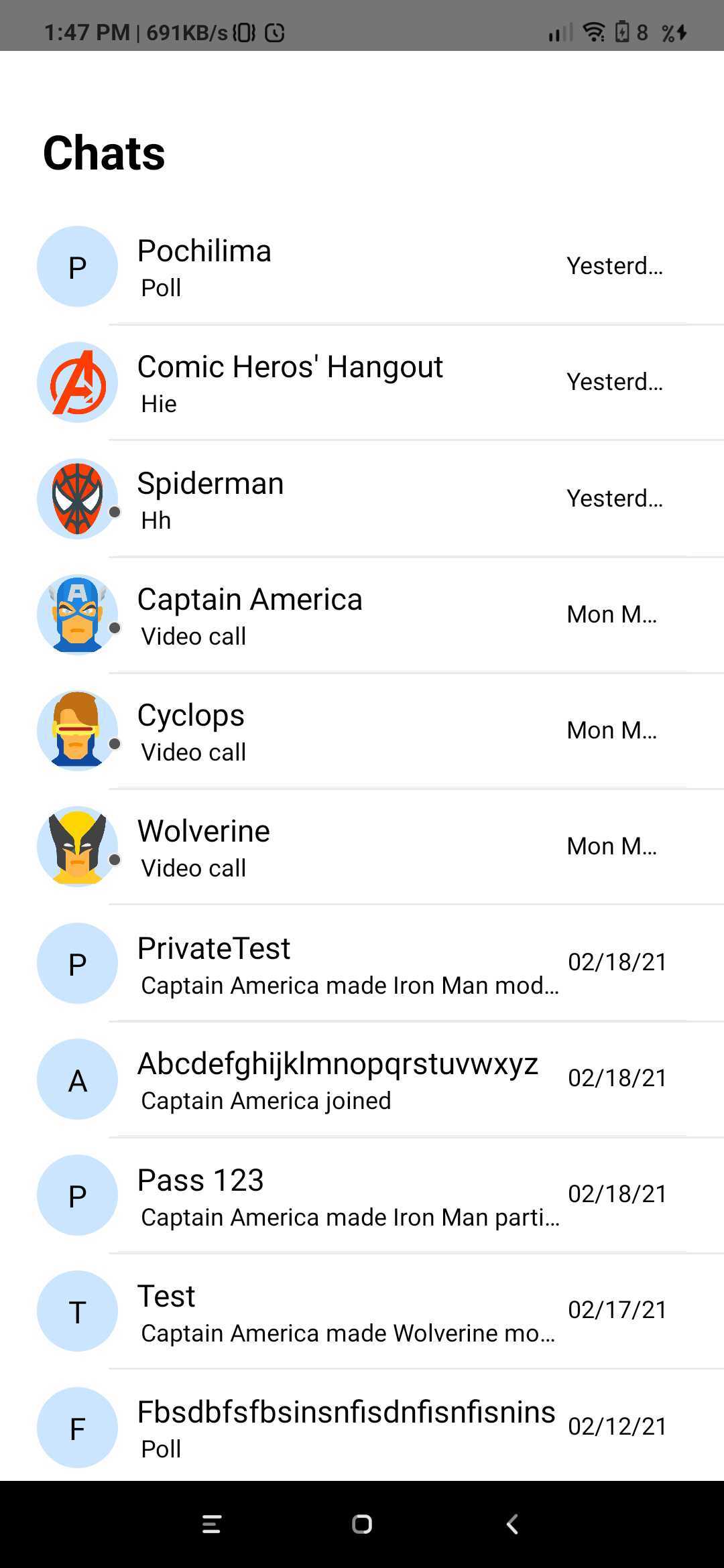
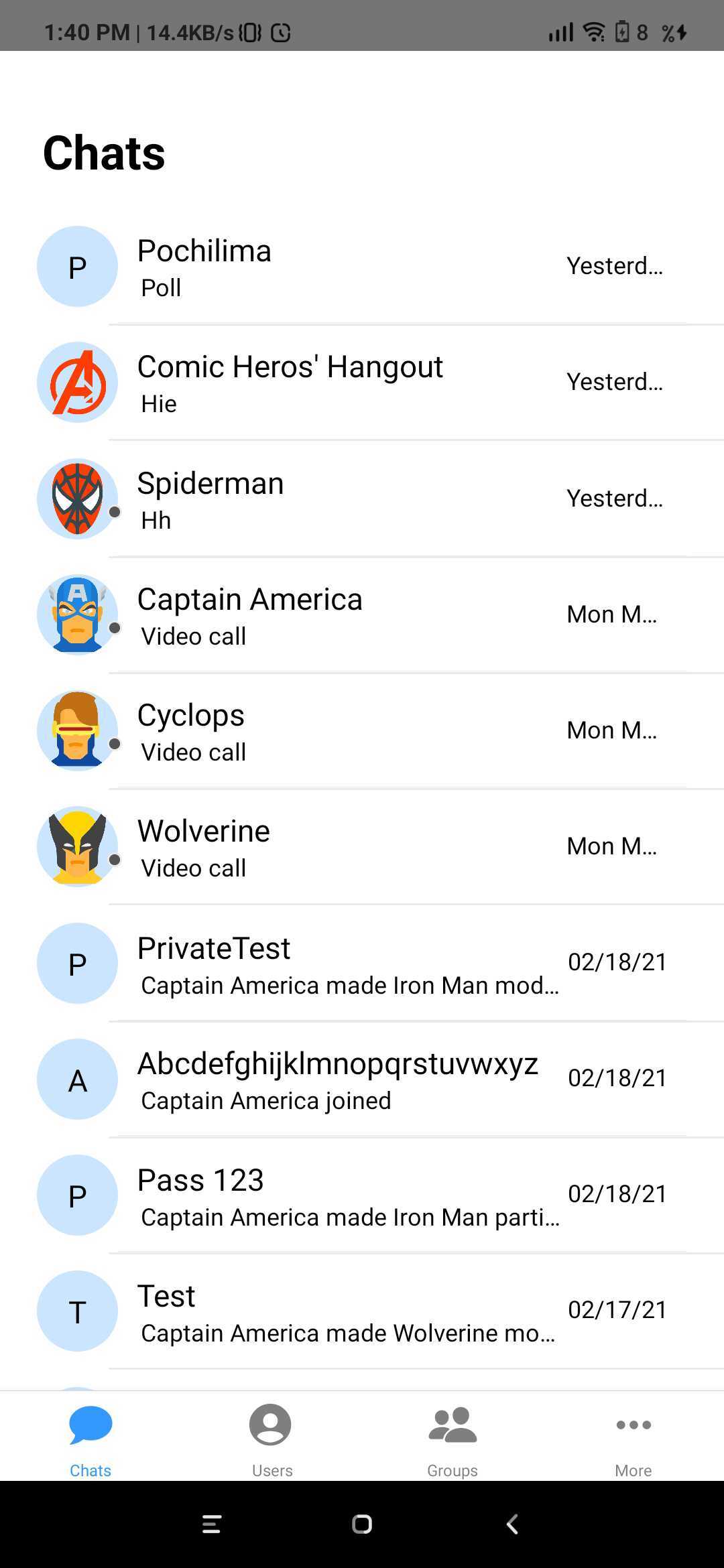
The `CometChatConversationListWithMessages` is a component with a list of recent conversations. The component has all the necessary listeners and methods required to display the recent conversation list and shows the set of the messages/chats of the selected recent conversation
 ```js theme={null}
import { CometChatConversationListWithMessages } from '../cometchat-pro-react-native-ui-kit';
function StackNavigator(props) {
const Stack = createStackNavigator();
return (
);
}
```
If you want to use this as a child component, then use the below code.
```js theme={null}
import React from 'react';
import {View, Text} from 'react-native';
import {CometChatConversationListWithMessages} from '../cometchat-pro-react-native-ui-kit';
export default function CometChatConversationListWithMessagesView({
navigation,
}) {
return (
);
}
```
### CometChatUserList
The `CometChatUserList` is a component that displays the list of users available to chat. You can use this component within your app if you wish to display the list of users.
```js theme={null}
import { CometChatConversationListWithMessages } from '../cometchat-pro-react-native-ui-kit';
function StackNavigator(props) {
const Stack = createStackNavigator();
return (
);
}
```
If you want to use this as a child component, then use the below code.
```js theme={null}
import React from 'react';
import {View, Text} from 'react-native';
import {CometChatConversationListWithMessages} from '../cometchat-pro-react-native-ui-kit';
export default function CometChatConversationListWithMessagesView({
navigation,
}) {
return (
);
}
```
### CometChatUserList
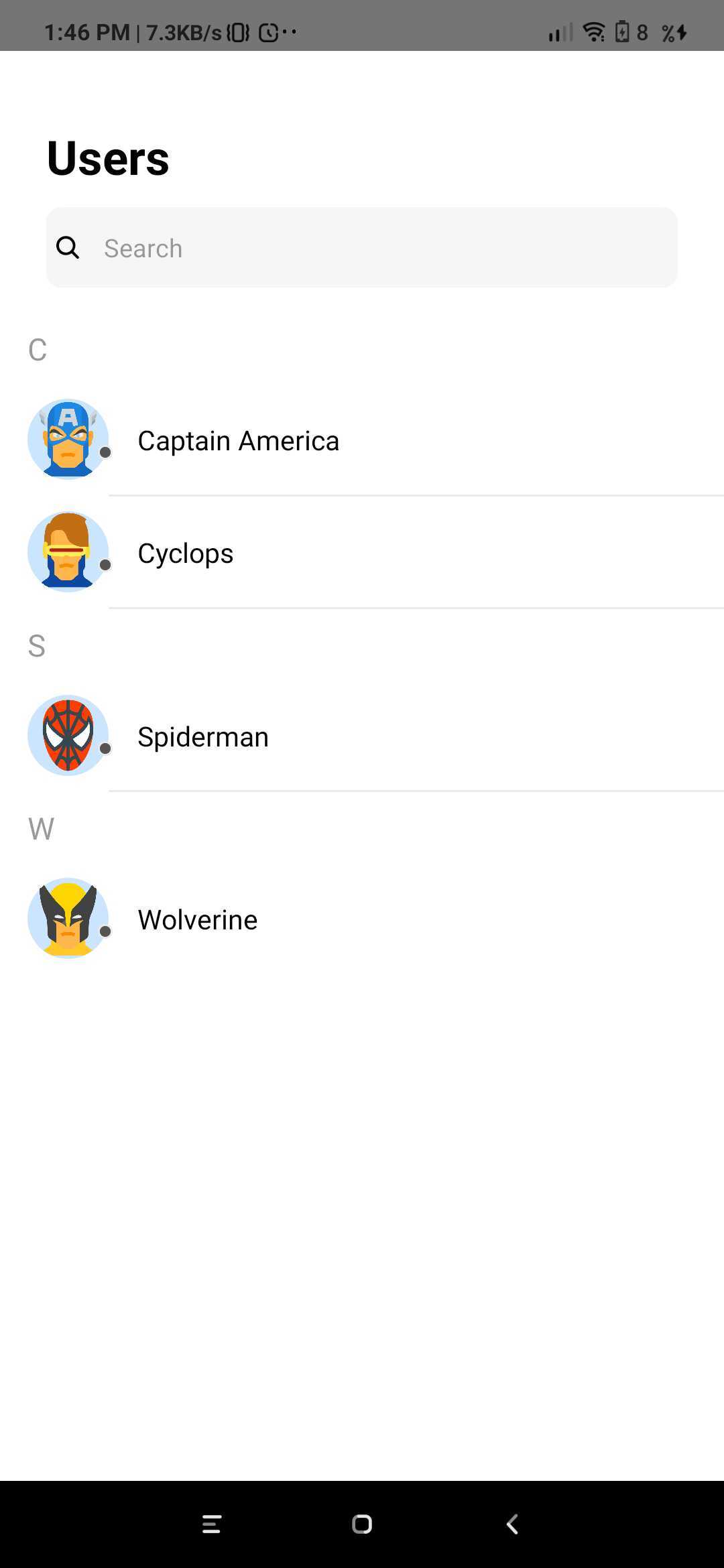
The `CometChatUserList` is a component that displays the list of users available to chat. You can use this component within your app if you wish to display the list of users.
 ```js theme={null}
import React from 'react';
import {View, Text} from 'react-native';
import {CometChatUserList} from '../cometchat-pro-react-native-ui-kit';
export default function CometChatUserListView({navigation}) {
return (
{
console.log(item);
}}
navigation={navigation}
/>
);
}
```
| Parameter | Description | Type |
| ----------- | ---------------------------------------------------------------------------------------------------------------------------------------------- | -------- |
| friendsOnly | Value could be *Object* or *Number* This property when set to true will return only the friends of the logged-in user Default value is *false* | Optional |
| onItemClick | Value should be *function* This is a callback called when a user is clicked on user list | Optional |
| navigation | Value should be *Object*. Pass the navigation object, if you want to refresh list on focus | Optional |
### CometChatGroupList
The `CometChatGroupList` is a component that displays the list of groups available. You can use this component within your app if you wish to display the list of groups.
```js theme={null}
import React from 'react';
import {View, Text} from 'react-native';
import {CometChatUserList} from '../cometchat-pro-react-native-ui-kit';
export default function CometChatUserListView({navigation}) {
return (
{
console.log(item);
}}
navigation={navigation}
/>
);
}
```
| Parameter | Description | Type |
| ----------- | ---------------------------------------------------------------------------------------------------------------------------------------------- | -------- |
| friendsOnly | Value could be *Object* or *Number* This property when set to true will return only the friends of the logged-in user Default value is *false* | Optional |
| onItemClick | Value should be *function* This is a callback called when a user is clicked on user list | Optional |
| navigation | Value should be *Object*. Pass the navigation object, if you want to refresh list on focus | Optional |
### CometChatGroupList
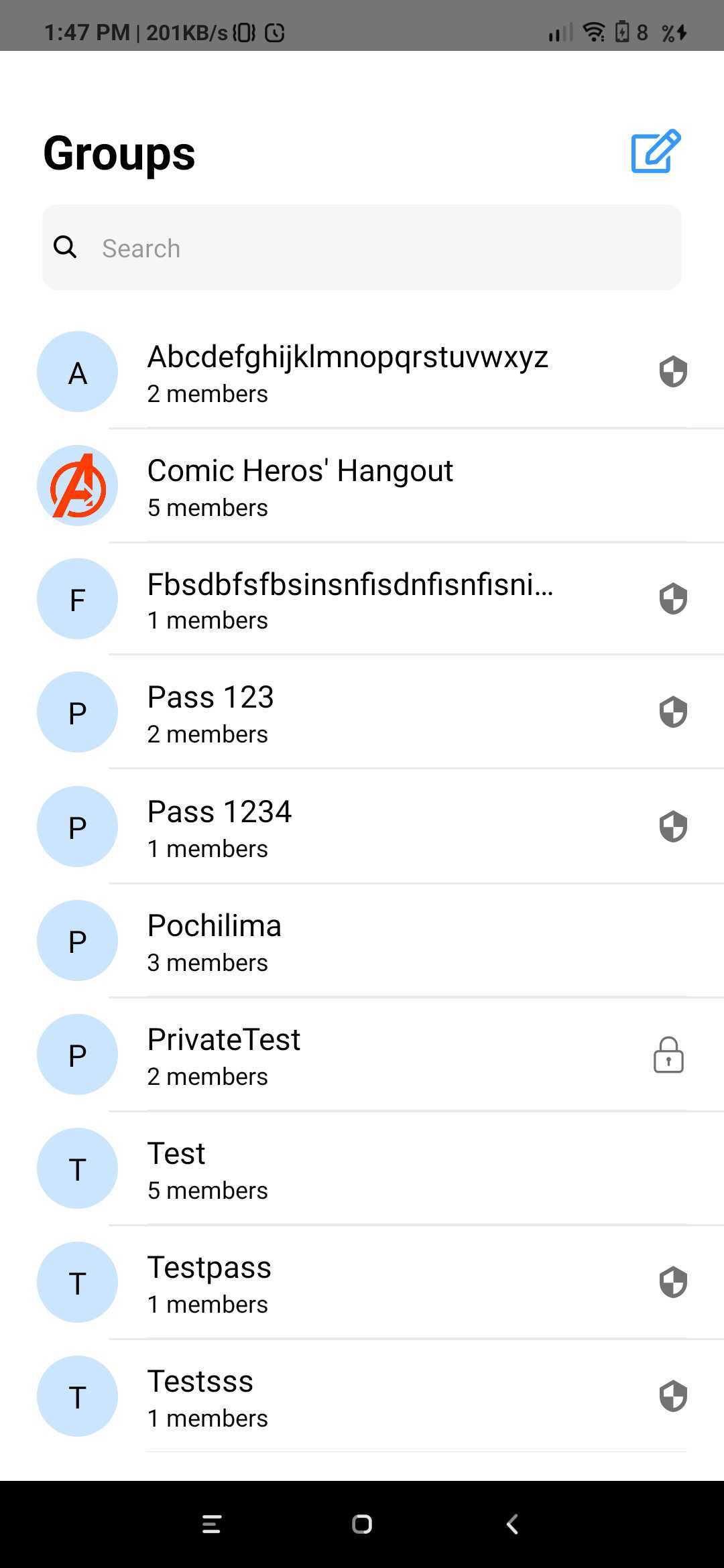
The `CometChatGroupList` is a component that displays the list of groups available. You can use this component within your app if you wish to display the list of groups.
 ```js theme={null}
import { CometChatGroupList } from '../cometchat-pro-react-native-ui-kit';
function StackNavigator(props) {
const Stack = createStackNavigator();
return (
);
}
```
If you want to use this as a child component, then use the below code.
```js theme={null}
import React from 'react';
import {View} from 'react-native';
import {CometChatGroupList} from '../cometchat-pro-react-native-ui-kit';
export default function CometChatGroupListView({navigation}) {
return (
);
}
```
### CometChatConversationList
You can use the `CometChatConversationList` component to display the list of recent conversations that the logged-in user was a part of.
```js theme={null}
import { CometChatGroupList } from '../cometchat-pro-react-native-ui-kit';
function StackNavigator(props) {
const Stack = createStackNavigator();
return (
);
}
```
If you want to use this as a child component, then use the below code.
```js theme={null}
import React from 'react';
import {View} from 'react-native';
import {CometChatGroupList} from '../cometchat-pro-react-native-ui-kit';
export default function CometChatGroupListView({navigation}) {
return (
);
}
```
### CometChatConversationList
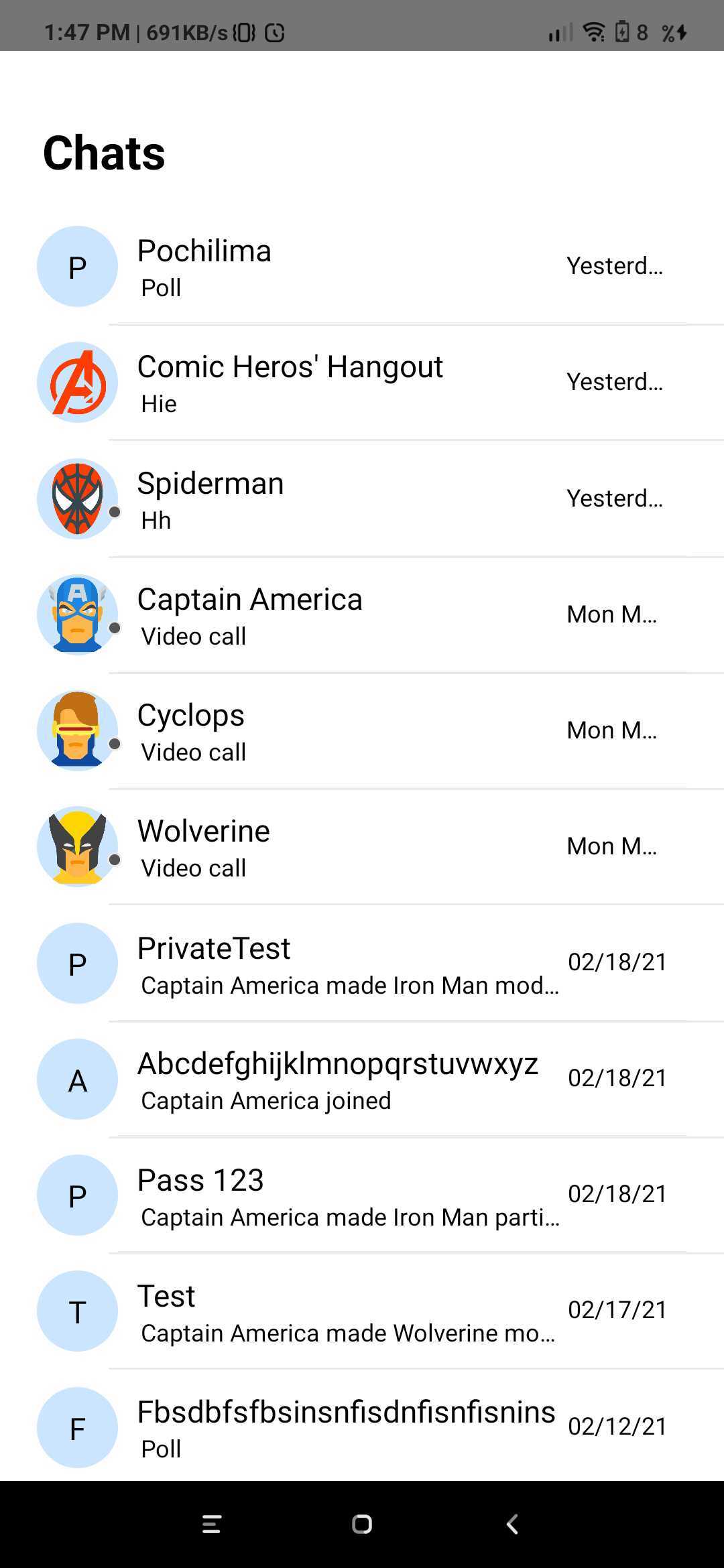
You can use the `CometChatConversationList` component to display the list of recent conversations that the logged-in user was a part of.
 ```js theme={null}
import { CometChatConversationList } from '../cometchat-pro-react-native-ui-kit';
function StackNavigator(props) {
const Stack = createStackNavigator();
return (
);
}
```
If you want to use this as a child component, then use the below code.
```js theme={null}
import React from 'react';
import {View} from 'react-native';
import {CometChatConversationList} from '../cometchat-pro-react-native-ui-kit';
export default function CometChatConversationListView({navigation}) {
return (
);
}
```
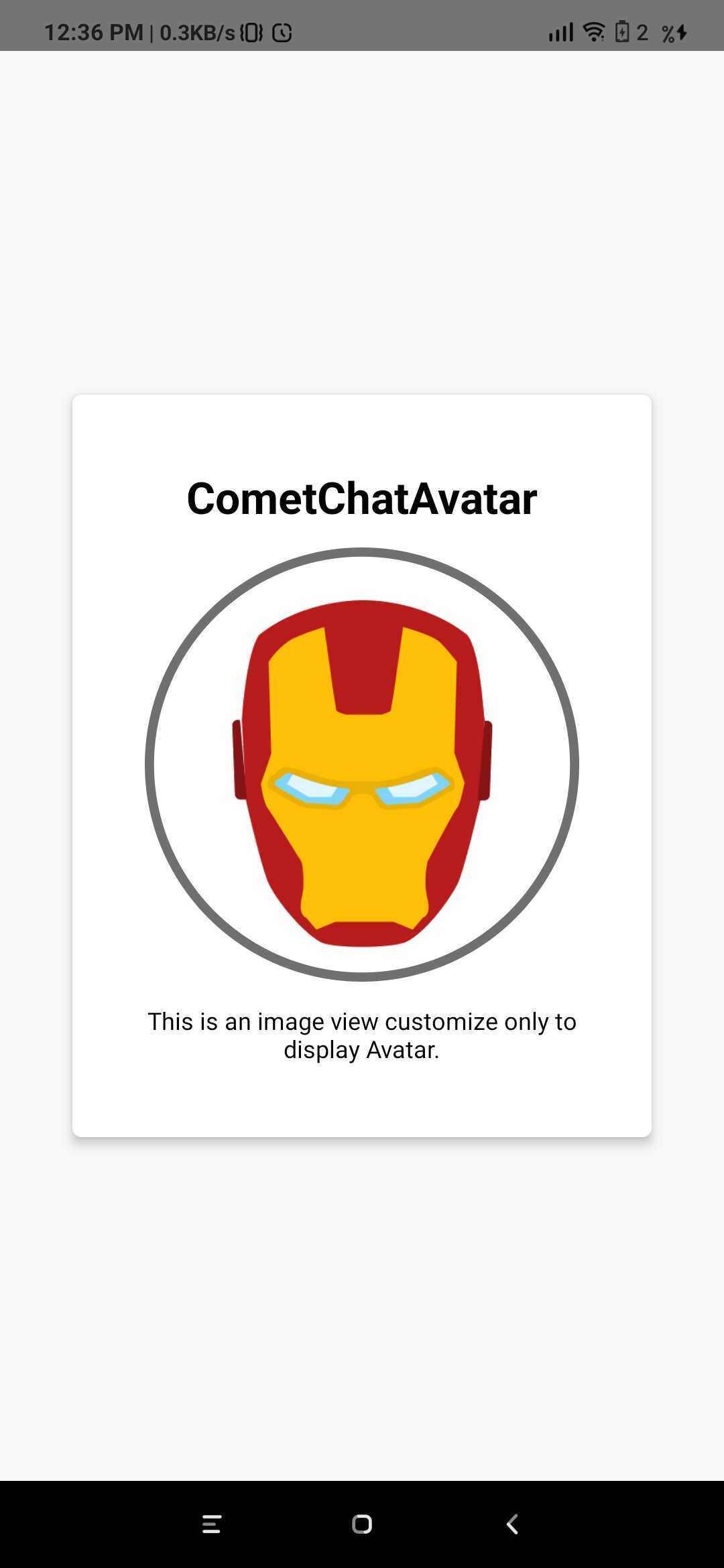
### CometChatAvatar
This is an image view customize only to display Avatar.
```js theme={null}
import { CometChatConversationList } from '../cometchat-pro-react-native-ui-kit';
function StackNavigator(props) {
const Stack = createStackNavigator();
return (
);
}
```
If you want to use this as a child component, then use the below code.
```js theme={null}
import React from 'react';
import {View} from 'react-native';
import {CometChatConversationList} from '../cometchat-pro-react-native-ui-kit';
export default function CometChatConversationListView({navigation}) {
return (
);
}
```
### CometChatAvatar
This is an image view customize only to display Avatar.
 ```js theme={null}
import React from 'react';
import {View, Text} from 'react-native';
import {CometChatAvatar} from '../cometchat-pro-react-native-ui-kit';
export default function AvatarView({user}) {
return (
CometChatAvatar
This is an image view customize only to display Avatar.
);
}
```
| Parameter | Description | Type |
| ------------ | ------------------------------------------------------------------------------------------------------------ | -------- |
| image | Value could be *Object* or *Number* This property sets the source of avatar image. | Optional |
| name | Value should be *String* This property sets the user name in avatar. | Optional |
| borderWidth | Value should be *Number*. This property sets the width of the component's four borders. Default value is *1* | Optional |
| cornerRadius | Value should be *Number*. This property sets border radius of the component. Default value is *1000*. | Optional |
| textColor | Value should be *Color*. This property sets the text color of component. Default value is \*black \* | Optional |
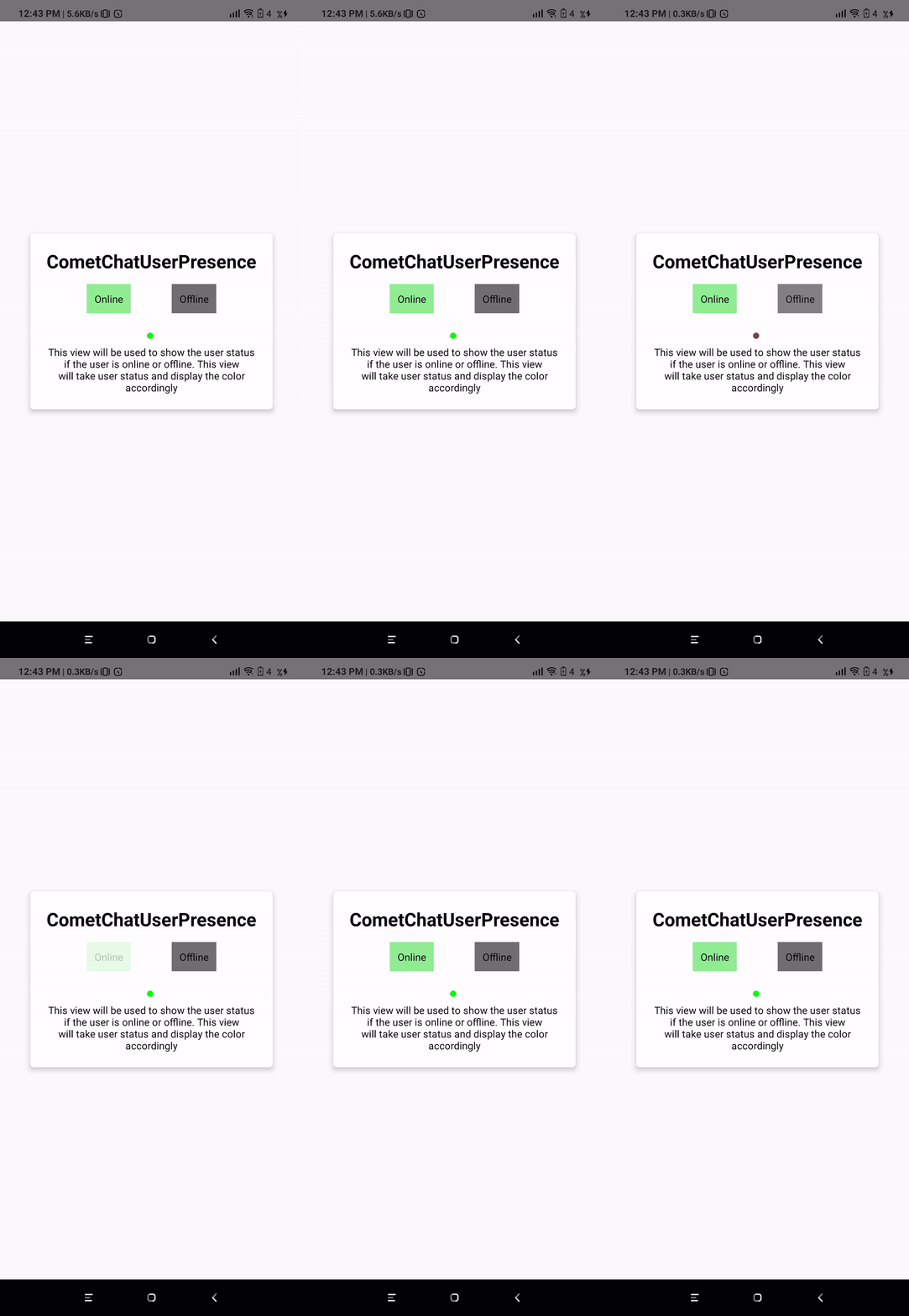
### CometChatUserPresence
This component will be used to show the user's online or offline status. This component will show the color based on the user's status.
```js theme={null}
import React from 'react';
import {View, Text} from 'react-native';
import {CometChatAvatar} from '../cometchat-pro-react-native-ui-kit';
export default function AvatarView({user}) {
return (
CometChatAvatar
This is an image view customize only to display Avatar.
);
}
```
| Parameter | Description | Type |
| ------------ | ------------------------------------------------------------------------------------------------------------ | -------- |
| image | Value could be *Object* or *Number* This property sets the source of avatar image. | Optional |
| name | Value should be *String* This property sets the user name in avatar. | Optional |
| borderWidth | Value should be *Number*. This property sets the width of the component's four borders. Default value is *1* | Optional |
| cornerRadius | Value should be *Number*. This property sets border radius of the component. Default value is *1000*. | Optional |
| textColor | Value should be *Color*. This property sets the text color of component. Default value is \*black \* | Optional |
### CometChatUserPresence
This component will be used to show the user's online or offline status. This component will show the color based on the user's status.
 ```js theme={null}
import React, {useState} from 'react';
import {View, Text, TouchableOpacity} from 'react-native';
import {CometChatUserPresence} from '../cometchat-pro-react-native-ui-kit';
export default function CometChatUserPresenceView({user}) {
const [status, setStatus] = useState(user.status);
return (
CometChatUserPresence
setStatus('online')}
style={{
justifyContent: 'center',
alignItems: 'center',
padding: 10,
backgroundColor: 'lightgreen',
}}>
Online
setStatus('')}
style={{
justifyContent: 'center',
alignItems: 'center',
padding: 10,
backgroundColor: '#707070',
}}>
Offline
This view will be used to show the user status if the user is online
or offline. This view will take user status and display the color
accordingly
);
}
```
| Parameter | Description | Type |
| ------------ | ---------------------------------------------------------------------------------------------------------- | -------- |
| borderWidth | Value should be *Number* This property sets the width of the component's four borders Default value is *1* | Optional |
| borderColor | Value should be *Color* This property sets the border colour of the component. Default value is \*#AAA \* | Optional |
| cornerRadius | Value should be *Number*. This property sets border radius of the component Default value is *4.5* | Optional |
| status | Value should be *String* Takes the status of *user* | Optional |
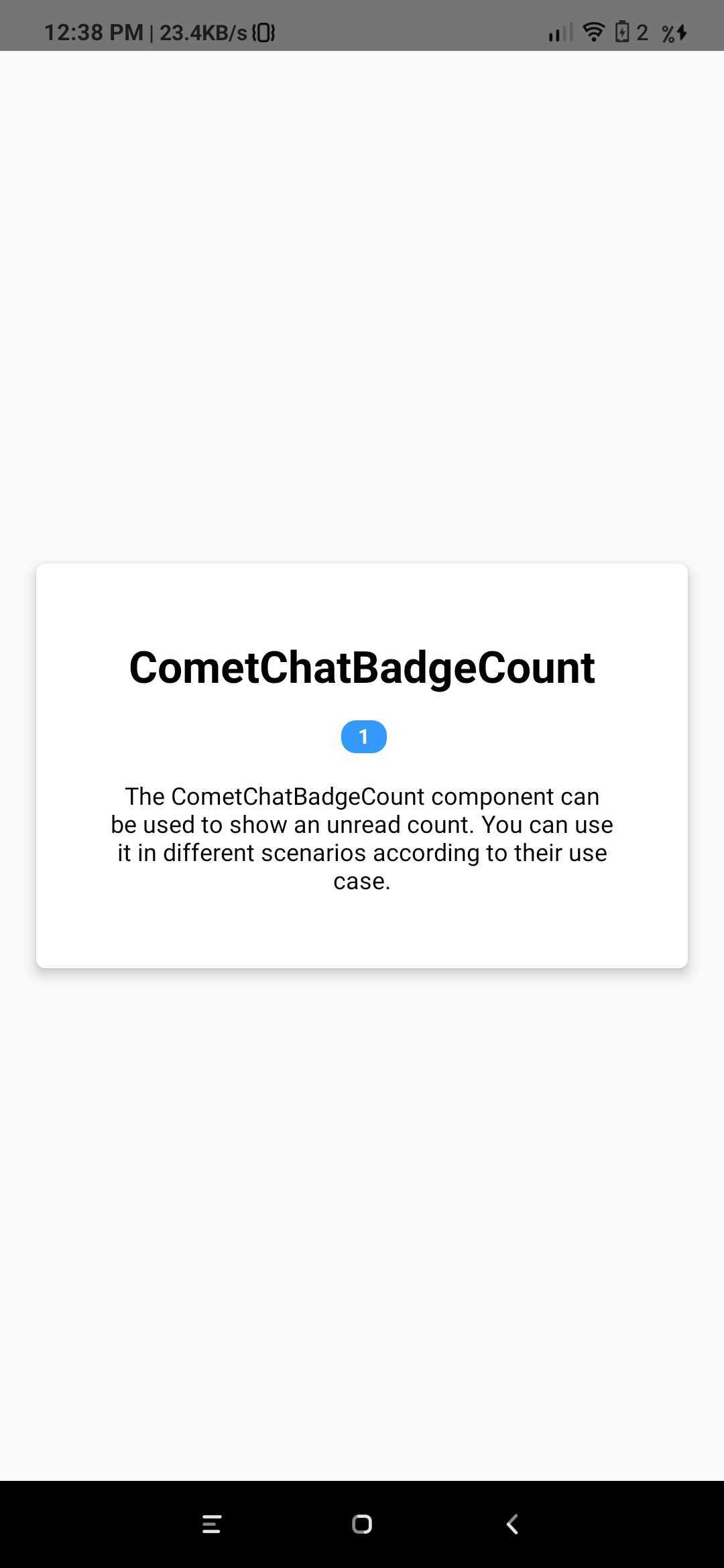
### CometChatBadgeCount
The CometChatBadgeCount component can be used to show an unread count. You can use it in different scenarios according to their use case.
```js theme={null}
import React, {useState} from 'react';
import {View, Text, TouchableOpacity} from 'react-native';
import {CometChatUserPresence} from '../cometchat-pro-react-native-ui-kit';
export default function CometChatUserPresenceView({user}) {
const [status, setStatus] = useState(user.status);
return (
CometChatUserPresence
setStatus('online')}
style={{
justifyContent: 'center',
alignItems: 'center',
padding: 10,
backgroundColor: 'lightgreen',
}}>
Online
setStatus('')}
style={{
justifyContent: 'center',
alignItems: 'center',
padding: 10,
backgroundColor: '#707070',
}}>
Offline
This view will be used to show the user status if the user is online
or offline. This view will take user status and display the color
accordingly
);
}
```
| Parameter | Description | Type |
| ------------ | ---------------------------------------------------------------------------------------------------------- | -------- |
| borderWidth | Value should be *Number* This property sets the width of the component's four borders Default value is *1* | Optional |
| borderColor | Value should be *Color* This property sets the border colour of the component. Default value is \*#AAA \* | Optional |
| cornerRadius | Value should be *Number*. This property sets border radius of the component Default value is *4.5* | Optional |
| status | Value should be *String* Takes the status of *user* | Optional |
### CometChatBadgeCount
The CometChatBadgeCount component can be used to show an unread count. You can use it in different scenarios according to their use case.
 ```js theme={null}
import React from 'react';
import {View, Text} from 'react-native';
import {CometChatBadgeCount} from '../cometchat-pro-react-native-ui-kit';
export default function CometChatBadgeCountView() {
return (
CometChatBadgeCount
The CometChatBadgeCount component can be used to show an unread count.
You can use it in different scenarios according to their use case.
);
}
```
| Parameter | Description | Type |
| --------- | ------------------------------------------------------------------- | -------- |
| count | Value should be *String*. This property sets the count on the badge | Optional |
```js theme={null}
import React from 'react';
import {View, Text} from 'react-native';
import {CometChatBadgeCount} from '../cometchat-pro-react-native-ui-kit';
export default function CometChatBadgeCountView() {
return (
CometChatBadgeCount
The CometChatBadgeCount component can be used to show an unread count.
You can use it in different scenarios according to their use case.
);
}
```
| Parameter | Description | Type |
| --------- | ------------------------------------------------------------------- | -------- |
| count | Value should be *String*. This property sets the count on the badge | Optional |