> ## Documentation Index
> Fetch the complete documentation index at: https://cometchat-22654f5b-docs-rn-guide-message-privately.mintlify.site/llms.txt
> Use this file to discover all available pages before exploring further.
# Badge
> Badge — CometChat documentation.
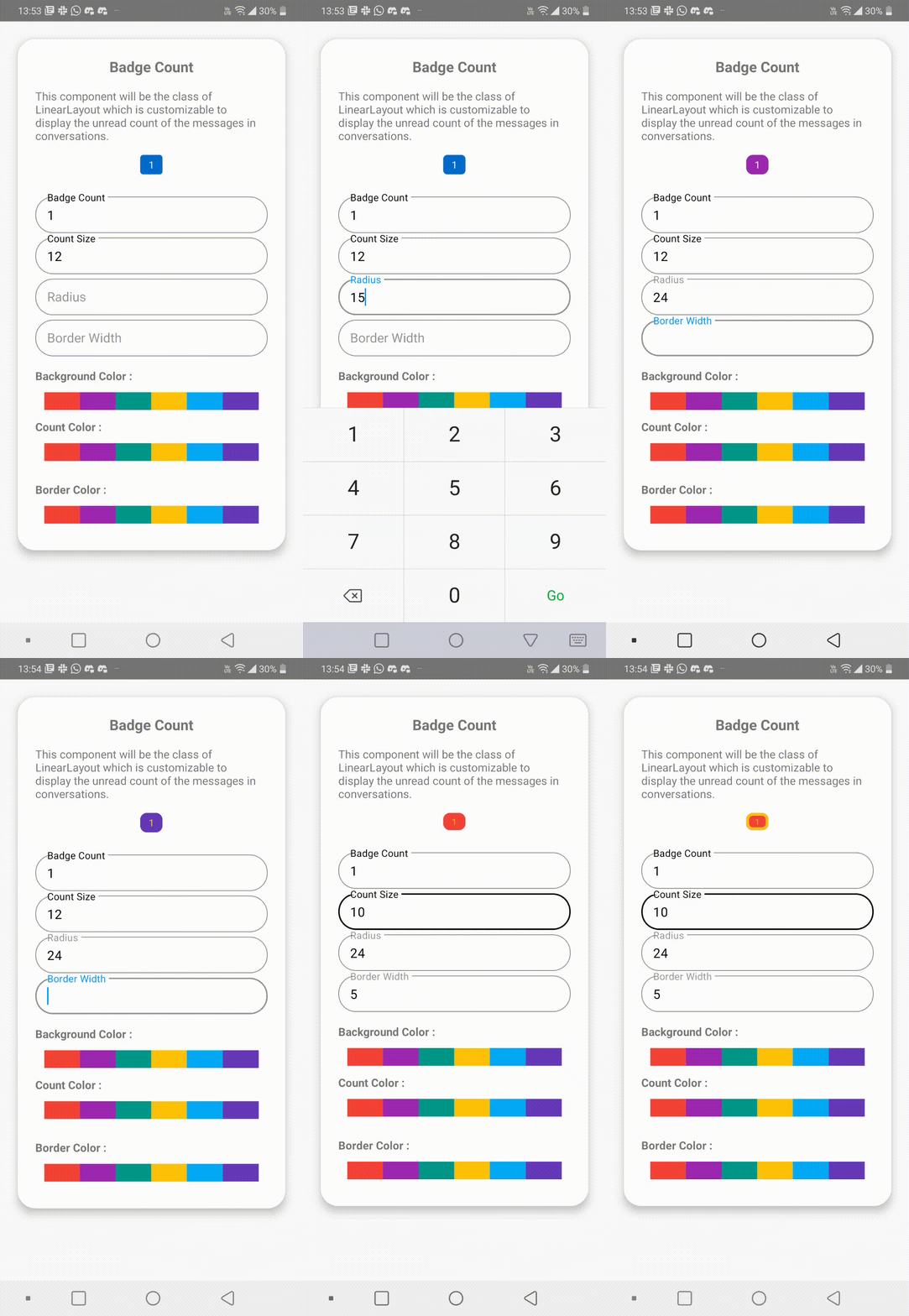
`CometChatBadge` is the custom component which is used to display the unread message count. It can be used in widgets like `CometChatListItem` shown for Conversation objects, `CometChatUI`, etc.
 ***
## How to integrate CometChatBadge?
Since `CometChatBadge` is a Widget, it can be added directly in the build method. `CometChatBadge` includes various attributes and methods to customize its UI.
### Usage
```dart theme={null}
CometChatBadge(
count: 7,
);
```
***
## Properties
| Parameters | Type | Description |
| ------------- | ---- | --------------------------- |
| int **count** | int | used to set value of count. |
***
## BadgeStyle
| Parameters | Type | Description |
| ---------------- | --------- | --------------------------------- |
| **textStyle** | TextStyle | used to set style for the count |
| **borderRadius** | double | used to modify the border radius |
| **background** | Color | used to set background color |
| **border** | BoxBorder | used to set border |
| **gradient** | Gradient | used to set a gradient background |
| **height** | double | used to set height |
| **width** | double | used to set width |
***
## Usage
```dart theme={null}
CometChatBadge(
count: 7,
style: BadgeStyle(
width: 16,
height: 16,
background: Colors.blue,
borderRadius: 24,
border: Border.all(
color: Colors.amber,
width: 1,
),
nameTextStyle: TextStyle(
fontSize: 12,
color: Colors.yellow)
)
);
```
***
## How to integrate CometChatBadge?
Since `CometChatBadge` is a Widget, it can be added directly in the build method. `CometChatBadge` includes various attributes and methods to customize its UI.
### Usage
```dart theme={null}
CometChatBadge(
count: 7,
);
```
***
## Properties
| Parameters | Type | Description |
| ------------- | ---- | --------------------------- |
| int **count** | int | used to set value of count. |
***
## BadgeStyle
| Parameters | Type | Description |
| ---------------- | --------- | --------------------------------- |
| **textStyle** | TextStyle | used to set style for the count |
| **borderRadius** | double | used to modify the border radius |
| **background** | Color | used to set background color |
| **border** | BoxBorder | used to set border |
| **gradient** | Gradient | used to set a gradient background |
| **height** | double | used to set height |
| **width** | double | used to set width |
***
## Usage
```dart theme={null}
CometChatBadge(
count: 7,
style: BadgeStyle(
width: 16,
height: 16,
background: Colors.blue,
borderRadius: 24,
border: Border.all(
color: Colors.amber,
width: 1,
),
nameTextStyle: TextStyle(
fontSize: 12,
color: Colors.yellow)
)
);
```