> ## Documentation Index
> Fetch the complete documentation index at: https://cometchat-22654f5b-docs-rn-guide-message-privately.mintlify.site/llms.txt
> Use this file to discover all available pages before exploring further.
# Overview
> Overview of Overview in CometChat.
🚀 **CometChat Angular UI Kit v5 is now available!** It features a completely revamped component architecture, standalone components, CSS variable theming, and improved customization. [Switch to v5 →](/ui-kit/angular/overview)
| Field | Value |
| --------- | ------------------------------------------------------------------------------------- |
| Package | `@cometchat/chat-uikit-angular` |
| Peer deps | `@cometchat/uikit-elements`, `@cometchat/uikit-resources`, `@cometchat/uikit-shared` |
| Source | [GitHub](https://github.com/cometchat-pro/cometchat-chat-sample-app-angular/tree/v4) |
| AI Skills | `npx @cometchat/skills add` — [GitHub](https://github.com/cometchat/cometchat-skills) |
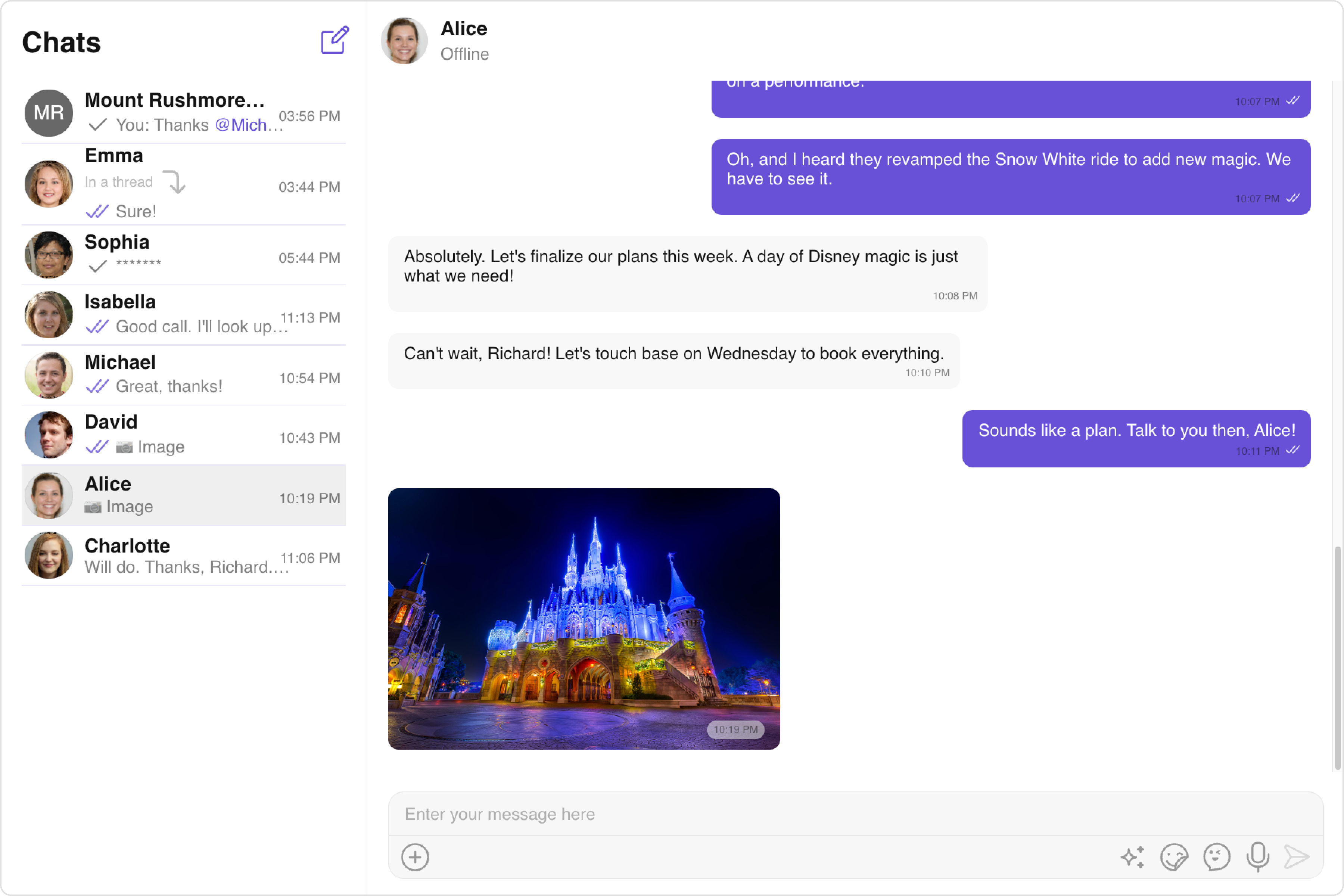
CometChat's **UI Kit** for Angular, you can effortlessly build a chat app equipped with all the essential messaging features, along with customizable options tailored to your application requirements. This **UI Kit** comprises prebuilt UI components organized into smaller modules and components, each configurable to meet your specific needs.
 ***
[Angular Sample App](https://github.com/cometchat-pro/cometchat-chat-sample-app-angular/tree/v4)
##### **Before Getting Started**
Before you begin, it's essential to grasp the fundamental concepts and features offered by CometChat's APIs, SDK, and UI Kit. You can find detailed information in [Key Concepts](/fundamentals/key-concepts) documentation.
The Angular UI Kit offers pre-built components for easy integration into Angular applications, built on top of the [JavaScript Chat SDK](/sdk/javascript/overview) Installing it also includes the core SDK functionalities.
To begin, please follow the [Getting Started](/ui-kit/angular/getting-started) guide.
***
## Integrate with AI Coding Agents
Use [CometChat Skills](https://github.com/cometchat/cometchat-skills) to add chat to any Angular project through your AI coding agent. The skill takes an AI-first approach — your agent has a short conversation with you to understand your project and chat requirements, then writes production-grade integration code tailored to the files you already have.
Works with Claude Code, Cursor, Codex, VS Code Copilot, Windsurf, Cline, Kiro, and [30+ more agents](https://github.com/cometchat/cometchat-skills).
```bash theme={null}
npx @cometchat/skills add
```
Use `--ide ` to target a specific IDE (e.g. `--ide cursor`), or `--ide all` to install for all supported IDEs.
Then in your IDE:
```
/cometchat add chat to my app
```
The skill detects your Angular version, router setup, and existing auth system. It onboards you to CometChat directly in the terminal — signup, login, and app creation all via the CLI. It reads your routes, modules, and components before proposing a placement (route or modal), shows the plan (which files it will create, modify, and leave untouched), and waits for your approval before writing code. Credentials are saved to `src/environments/environment.ts`.
After the first integration, re-run `/cometchat` anytime to pick from the iteration menu:
* **Customize look & feel** — theme presets (slack / whatsapp / imessage / discord / notion) or your own brand color
* **Add a feature** — 40+ features including calls, reactions, polls, AI smart replies, file sharing, presence
* **Customize a component** — custom message bubbles, headers, composer actions, empty/loading states
* **Set up production auth** — replace the dev Auth Key with a server-side token endpoint
* **Set up user management** — server endpoints for creating/updating/deleting CometChat users
* **Run diagnostics** — verify, drift detection, symptom-to-cause lookup
***
[Angular Sample App](https://github.com/cometchat-pro/cometchat-chat-sample-app-angular/tree/v4)
##### **Before Getting Started**
Before you begin, it's essential to grasp the fundamental concepts and features offered by CometChat's APIs, SDK, and UI Kit. You can find detailed information in [Key Concepts](/fundamentals/key-concepts) documentation.
The Angular UI Kit offers pre-built components for easy integration into Angular applications, built on top of the [JavaScript Chat SDK](/sdk/javascript/overview) Installing it also includes the core SDK functionalities.
To begin, please follow the [Getting Started](/ui-kit/angular/getting-started) guide.
***
## Integrate with AI Coding Agents
Use [CometChat Skills](https://github.com/cometchat/cometchat-skills) to add chat to any Angular project through your AI coding agent. The skill takes an AI-first approach — your agent has a short conversation with you to understand your project and chat requirements, then writes production-grade integration code tailored to the files you already have.
Works with Claude Code, Cursor, Codex, VS Code Copilot, Windsurf, Cline, Kiro, and [30+ more agents](https://github.com/cometchat/cometchat-skills).
```bash theme={null}
npx @cometchat/skills add
```
Use `--ide ` to target a specific IDE (e.g. `--ide cursor`), or `--ide all` to install for all supported IDEs.
Then in your IDE:
```
/cometchat add chat to my app
```
The skill detects your Angular version, router setup, and existing auth system. It onboards you to CometChat directly in the terminal — signup, login, and app creation all via the CLI. It reads your routes, modules, and components before proposing a placement (route or modal), shows the plan (which files it will create, modify, and leave untouched), and waits for your approval before writing code. Credentials are saved to `src/environments/environment.ts`.
After the first integration, re-run `/cometchat` anytime to pick from the iteration menu:
* **Customize look & feel** — theme presets (slack / whatsapp / imessage / discord / notion) or your own brand color
* **Add a feature** — 40+ features including calls, reactions, polls, AI smart replies, file sharing, presence
* **Customize a component** — custom message bubbles, headers, composer actions, empty/loading states
* **Set up production auth** — replace the dev Auth Key with a server-side token endpoint
* **Set up user management** — server endpoints for creating/updating/deleting CometChat users
* **Run diagnostics** — verify, drift detection, symptom-to-cause lookup